The quickest answer to how to increase email engagement is relevance. Segment by what subscribers do, let them choose what they receive, trigger messages from behavior, and stop mailing the people who quit reading. Those signals also feed into how mailbox providers treat your future sends.
Most teams try to fix engagement with a better subject line. It helps for a send or two. Then the list keeps getting quieter, because the same message still goes to everyone on the same schedule whether they care or not.
This guide is for marketers who already send regularly and want more subscribers to act on what lands. It covers what engagement measures, why mailbox providers care about it, seven steps that move it, and the mistakes that unknowingly destroy engagement.
Key Takeaways
- Measure clicks over opens: Litmus reports that over 50% of email opens now happen on devices with Apple Mail Privacy Protection activated, so bot-filtered clicks, replies, and conversions are a more reliable way to track email engagement.
- Segment first to increase email engagement: Marketers surveyed for Litmus's State of Email report rank segmentation as their most effective personalization tactic, ahead of dynamic content and personalized subject lines.
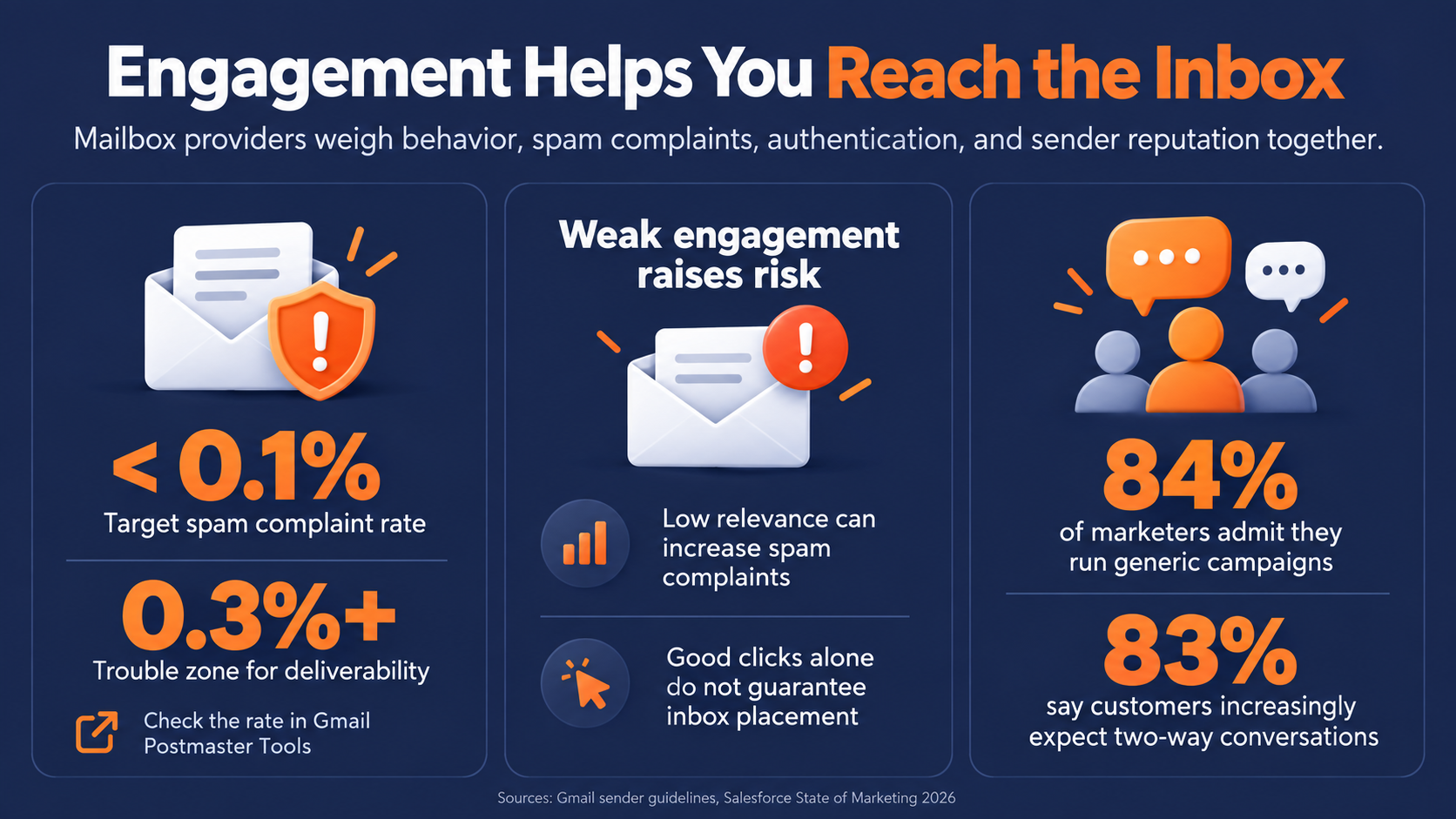
- Watch Gmail's complaint threshold: Gmail tells senders to keep their user-reported spam rate below 0.1% and never let it reach 0.3% or higher, since weak engagement and rising complaints put inbox placement at risk.
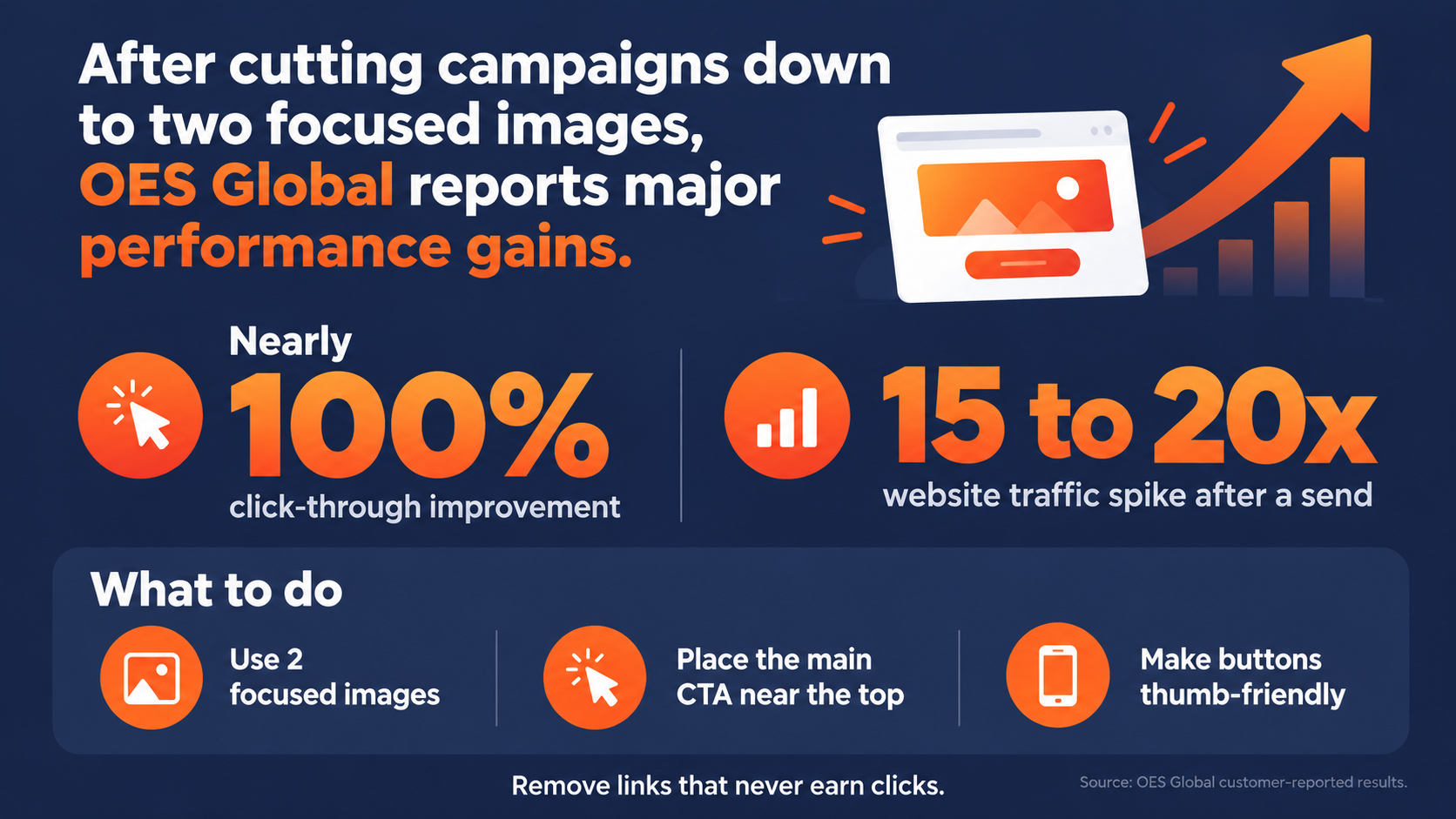
- Simplify to one action: After cutting an eight-link email down to two focused images, OES Global reported click-through improvements approaching 100% and website traffic spikes of 15 to 20 times normal right after a send.
- Plan for modest win-back rates: Litmus lists 5 to 12% as a re-engagement range for win-back campaigns triggered after 30 to 90 days of inactivity, so build removing non-responders into the process rather than expecting most of them back.
In this guide
What Email Engagement Actually Measures
Email engagement is the set of signals that show a subscriber interacted with your message. On the positive side, that means opens, clicks, replies, and conversions. On the negative side, it means unsubscribes and spam complaints.
Each signal tells you something different, and they are not equally trustworthy.
Opens are the weakest signal you have
Open tracking was always a proxy, and privacy features have bent it further. Litmus reports that in its email client market share data, over 50% of email opens happen on a device with Apple Mail Privacy Protection activated. That feature can register an open whether or not a person read anything.
The reality is that a rising open rate can reflect Apple's servers as much as your subject line. Consider email opens as a rough indicator of success, but never a verdict. The portion of your own list's amount of Apple users may be higher or lower, so keep that in mind as well. For more on where this leaves open-rate tracking, see our breakdown of Mail Privacy Protection and email open rate tracking.
Clicks, replies, and conversions carry more weight
Clicks are important and are a more reliable signal than opens, but they are not proof of a person. Corporate security scanners and link previews can click links automatically, so use bot-filtered click data where your platform offers it.
Weigh clicks alongside genuine replies and conversions, such as a purchase, registration, or booked meeting. Watch the negative signals too, because rising unsubscribes and complaints are the clearest sign that something is off.
Why Engagement Affects Where Your Email Lands
Mailbox providers weigh recipient behavior and spam complaints alongside authentication and sender reputation when deciding where your mail lands. Weak engagement and rising complaints put placement at risk, so monitor both instead of assuming good clicks guarantee the inbox.
Gmail sets hard limits on spam complaints
Gmail tells senders to keep their user-reported spam rate below 0.1% and never let it reach 0.3% or higher, and it describes the delivery impact as graduated. That second part matters. Trouble starts well before you hit the upper limit.
Watch the spam rate Gmail itself reports in Postmaster Tools rather than estimating it from your own campaign totals, since Gmail calculates it with its own method. Gmail users can easily move an email to spam in one click, so irrelevant sends raise the odds that someone reaches for the spam button instead of the unsubscribe link.
Generic sending is still the norm
The bar to stand out is lower than it should be. In Salesforce's 2026 State of Marketing research, 84% of marketers admit to running generic campaigns, even as 83% say customers increasingly expect two-way conversations.
That difference is where true engagement can happen between you and your customers. If your emails respond to what each subscriber does, you are already doing something most of those marketers admit they are not.
How to Increase Email Engagement in Seven Steps

Start with these seven steps. The first three change who gets what, the next three change the email itself and when it arrives, and the last one protects everything you built.
1. Segment by what subscribers do
Demographics tell you who someone is. Behavior tells you what they care about right now. Segment by clicks, purchases, site visits, event attendance, and product interest, and your content starts matching intent instead of guessing.
Marketers surveyed for Litmus's State of Email report rank segmentation as their most effective personalization strategy, ahead of dynamic content and personalized subject lines. That is a ranking of what practitioners say works, not a controlled test. This still lines up with the simple point that the more a message fits the reader, the more reasons they have to click.
An example of this level of segmentation is a wholesale importer we work with: The Gerson Companies runs 20 to 25 targeted lists across its trade-show databases, segmented by past showroom attendance, geographic territory, and product line.
For more ways to put this into practice, see our guide to email personalization techniques that actually move the needle.
Creative director Sandy Paylor-Westra describes the loop plainly. "We look at the Reports in Pinpointe. We see, 'this is successful, this not so much,' and this helps to develop the messaging."
2. Let subscribers choose what they receive
If your only option is unsubscribing from all marketing, add a preference center where subscribers can choose topics or frequency. You'll still want to keep the standard unsubscribe link and one-click unsubscribe in place, but the preference options give people who were about to leave somewhere else to go.
Legal publisher Neubauer & Associates learned this with more than 15,000 California trial attorneys. It started with a single list, then realized attorneys only wanted alerts that matched their practice areas. Using embedded unsubscribe forms, it lets lawyers opt down to specific content instead of unsubscribing entirely, and it tracks practice areas in custom fields so each alert reaches the right people.
A preference center also softens the reasons subscribers leave in the first place. See our blog on why people unsubscribe from emails and learn the patterns to look for to reduce your email list churn.
3. Trigger emails from behavior
A scheduled broadcast arrives when you are ready. A triggered email arrives because something happened.
Triggered messages respond to a subscriber action, a date, or another condition you define. Welcome messages, browse and abandoned cart emails, post-purchase guidance, and birthday or renewal reminders all start from that kind of moment. Match the content to it, since a trigger alone doesn't make an email relevant.
Start with the two or three moments that matter most in your customer journey, such as a signup, a first purchase, or a content download. Automate one useful response to each before you build anything more elaborate.
For more on matching messages to behavior, see our guide to winning customers using behavioral email marketing.
4. Write subject lines and preview text for one reader
Write your subject line and preview text together to give subscribers a clear reason to open. Aim them at a specific segment, say plainly what is inside, and use the preview text to add a second reason rather than repeat the first.
Then split test to continually improve your results. Change one variable at a time, use a sample large enough to trust, and judge the winner on bot-filtered clicks and conversions rather than opens, for the reasons covered above.
Pro Tip: Keep a running log of every subject line test and its click result. After a dozen tests, the patterns in your own audience will tell you more than any generic list of best practices.
5. Design every email around one clear action
If your email asks readers to do too many things, simplify it. When eight links compete for attention, readers tend to pick one or none, and you learn very little about what they wanted.
B2B wholesale reseller OES Global Inc., which runs three separate brands, found exactly this in its click Heat Maps. Most clicks landed on only one or two of the eight calls to action in its emails.
Marketing director Ariel Frias Ducoudray put it simply. "Heat Maps are helpful because you can see if it makes sense to have all 8 calls to action when people only click one or two places."
After cutting campaigns down to two focused images, OES Global reports click-through improvements approaching 100% and website traffic spikes of 15 to 20 times normal right after a send. Put your main action near the top, make buttons easy to tap on a phone, and treat any link that never earns a click as clutter.
6. Send when your audience is ready to read
Timing won't rescue a weak email, but it can bury a good one. The standard advice is a reasonable place to start testing.
A CoSchedule synthesis of 10 platform studies found Thursday, Tuesday, and Wednesday reported most often as the best send days, with 10 a.m., 9 a.m., and 8 a.m. the most common best times. Those underlying studies date from 2020 to 2022, and your own audience is the only benchmark that counts, so treat these as a starting schedule to test against. Our own complete guide to the best time to send marketing emails walks through testing this by industry and audience.
Mortgage lender Oaktree Funding sends daily rate updates to brokers and realtors and uses Heat Maps to spot engagement hotspots and the send times that work best for its list. This is a great example that many companies could copy and see improved results. Start with the common windows, then let your own click data move you off them.
7. Re-engage or retire disengaged subscribers
Inactive subscribers pull down your reported engagement rates and add deliverability risk without adding results. Deal with them on purpose instead of letting them pile up.
Define inactivity by the signals that show true engagement. This means focusing on bot-filtered clicks, replies, purchases, and site visits, rather than opens alone. Mailsoftly uses 60 to 90 days without an open or click as a common starting point for a win-back sequence. Adjust that window to your cadence and buying cycle, because a quarterly buyer who goes quiet for 60 days may be perfectly healthy.
Set realistic expectations and prioritize list hygiene
Keep expectations realistic. Litmus's ecommerce playbook lists 5 to 12% as a re-engagement range for win-back series triggered after 30 to 90 days of inactivity, though it doesn't spell out how that range was measured. Treat it as a planning reference and define what recovery means for your own program.
Win-back sequences like this also protect your sender reputation. See our guide to lowering your email bounce rate with re-engagement campaigns for the mechanics.
Even at the top of that range, the large majority don't ever engage. Plan for removal to be part of the outcome, because the list you keep mailing is the one your engagement rates are built on.
Mistakes That Drag Engagement Down
Most engagement problems come from a few habits that feel harmless one send at a time. Each of these undoes one of the steps above.
Judging success by open rate
If opens are your main measure, privacy-inflated numbers can hide a real decline in interest. Report on clicks and conversions first, and read opens as supporting context.
Mailing the whole list every time
Sending everything to everyone gives your least interested subscribers more chances to tune out or complain. Even two or three segments give you something to compare and refine.
Sending more when engagement dips
When results slip, the instinct is to send more often. More volume to an audience that has stopped reading raises the risk of unsubscribes and complaints, so watch both closely after any frequency increase.
Keeping every address forever
A big list feels like an asset, but addresses that haven't engaged in a year add deliverability risk without adding results. Make it a priority to review them on a consistent schedule. If your list has grown unchecked, our guide on proper email list hygiene is a good place to start.
How marketing automation platforms drive high-impact email engagement
Effective email engagement relies on real-time subscriber behavior. Segmentation, automated triggers, preference management, and list hygiene all depend on acting on user activity while interest is highest. Modern marketing automation platforms simplify this process by converting real-time subscriber data into automated, high-performing engagement strategies.
Real-time dynamic segmentation and triggered workflows
The marketing automation system you choose should be able to dynamically update audience segments by pairing custom contact fields with behavioral data. For example, contacts who click a specific product or pricing link automatically move into targeted follow-up groups. Visual workflow engines launch tailored sequences based on opens, clicks, form submissions, and site activity, delivering relevant content precisely when engagement potential is highest.
Data-driven content optimization and predictive delivery
To maximize open and click-through rates, your marketing automation platform should offer visual click heatmaps that reveal exactly where subscribers interact, helping you refine layout and copy. It should also include built-in predictive send-time features that analyze historical engagement patterns to deliver messages at each contact's optimal open window. Ideally, you want there to also be integrated pre-flight spam checks that catch deliverability flags prior to sending.
Automated hygiene and subscription preferences
Sustaining high email engagement requires protecting overall list health. Automated list hygiene immediately suppresses hard bounces and opt-outs to preserve deliverability. Additionally, embedded preference centers allow subscribers to adjust frequency or content options instead of unsubscribing entirely, preserving valuable audience relationships.
Centralized control for multi-brand operations
For organizations managing multiple brands, clients, or locations, enterprise-grade automation tools provide multi-brand account architecture. Teams can maintain isolated audience data, distinct sender identities, and independent reporting across sub-accounts, or selectively share templates and assets, all managed from a unified central dashboard.
Email Engagement Questions Marketers Ask
These are the questions that come up most once a team starts working on engagement.
What is a good email engagement rate?
There is no universal good email engagement rate. Compare bot-filtered clicks, replies, conversions, unsubscribes, and complaints against your own historical performance and similar email types.
How often should you email subscribers?
Send as often as you have something useful to say to that segment, and no more.
Oaktree Funding sends daily because mortgage rates change daily and its brokers need the update. In its case study, Oaktree reported growing its broker and realtor list from 25,000 to over 400,000 over six years while sending daily rate updates. Watch unsubscribes and complaints after any frequency change, since they tell you quickly when you have crossed the line.
Do open rates still matter?
They still help as a trend line, since a sudden drop can point to a deliverability problem. Privacy features inflate opens, so bot-filtered clicks, replies, and conversions are the better measure of whether an email worked.
How long before a subscriber counts as inactive?
There is no universal number. You could start by reviewing subscribers with no meaningful activity for 60 to 90 days, as covered in step seven, then adjust for how often you send and how long your buying cycle runs. Decide what counts as meaningful activity for your business, whether that is clicks, replies, purchases, or site visits.
Making Higher Email Engagement Stick
Engagement climbs when each email fits the person getting it. Segment by behavior, give subscribers a say in what they receive, trigger messages from what they do, simplify every email to one action, test your timing, and clear out the people who stopped listening.
Do those consistently and the payoff compounds. Fewer complaints give you more room under Gmail's limits, and a list built on people who engage gives your next email a better chance of reaching them.
If you want a clear read on where your program is losing engagement, schedule a marketing automation audit with our team, and we will walk through your segments, triggers, and list health with you.