Email retargeting is the practice of sending a targeted follow-up email to someone who already interacted with your website, app, or a previous email but stopped short of the action you wanted. The send is triggered by that person's behavior instead of a fixed schedule.
Picture a contact who visits your pricing page twice this week and never books the call. Without email retargeting, the next thing they hear from you is whatever newsletter happens to be scheduled next.
This guide covers what the term means (it gets used two ways), how a visit turns into a triggered email, what a retargeting pixel can and can't tell you, and the use cases and mistakes that decide whether a program helps or hurts your list.
Key Takeaways
- Trigger-based email outperforms scheduled sends: in an analysis of more than 162 million emails from 30 companies, trigger-based emails averaged a 4.4% click rate against 2.3% for scheduled emails, the gap that makes email retargeting worth building.
- Cart abandonment sets the baseline for email marketing retargeting: online shopping cart abandonment averages 70.22% across 50 studies, which is why cart recovery is the most common retargeting flow, even though that figure measures abandonment, not how much an email recovers.
- Gmail's bulk sender line kicks in at volume: sending 5,000 or more messages in 24 hours to personal Gmail accounts classifies a sender as bulk, requiring SPF and DKIM authentication, a DMARC record, and a spam rate kept below 0.3%.
- The email retargeting pixel has a blind spot: Apple's Mail Privacy Protection downloads tracking pixels in the background before a message opens, so an open-based trigger can fire for a recipient who never read the email.
- 21st Mortgage Corporation uses retargeting at scale on Pinpointe: the company manages more than 450,000 contacts across several sister companies and uses automated drip campaigns to follow up on abandoned loan applications.
In this guide
What Email Retargeting Means
In the permission-based model this guide covers, email retargeting reaches people who are already on your list. Ad retargeting can target anonymous visitors, while email retargeting reaches people whose contact information you've already gathered.
Having someone's email address and having permission to send them marketing email are separate questions. Check consent before any contact enters a retargeting flow.
Email retargeting vs. ad retargeting
The term itself is messy. Wikipedia's entry on email retargeting describes two uses, one where you show display ads to people after they read your email, and one where you email a website visitor after their visit, including visitors who arrived anonymously and were matched to an address afterward.
This guide sticks to a narrower version. When the trigger is a behavior from a contact already on your list and the delivery is an inbox, that's email retargeting.
Where remarketing email fits into your overall strategy
Ad-tech vendors such as Criteo split the terms by channel, using retargeting for paid ads aimed at anonymous visitors and remarketing for email or CRM-based campaigns aimed at known contacts. That's one convention, and plenty of teams use the words interchangeably.
So if you say remarketing email and the person next to you says email retargeting, you're probably describing the same flow. Pick one term, define it in your playbook, and move on.
How Email Retargeting Works
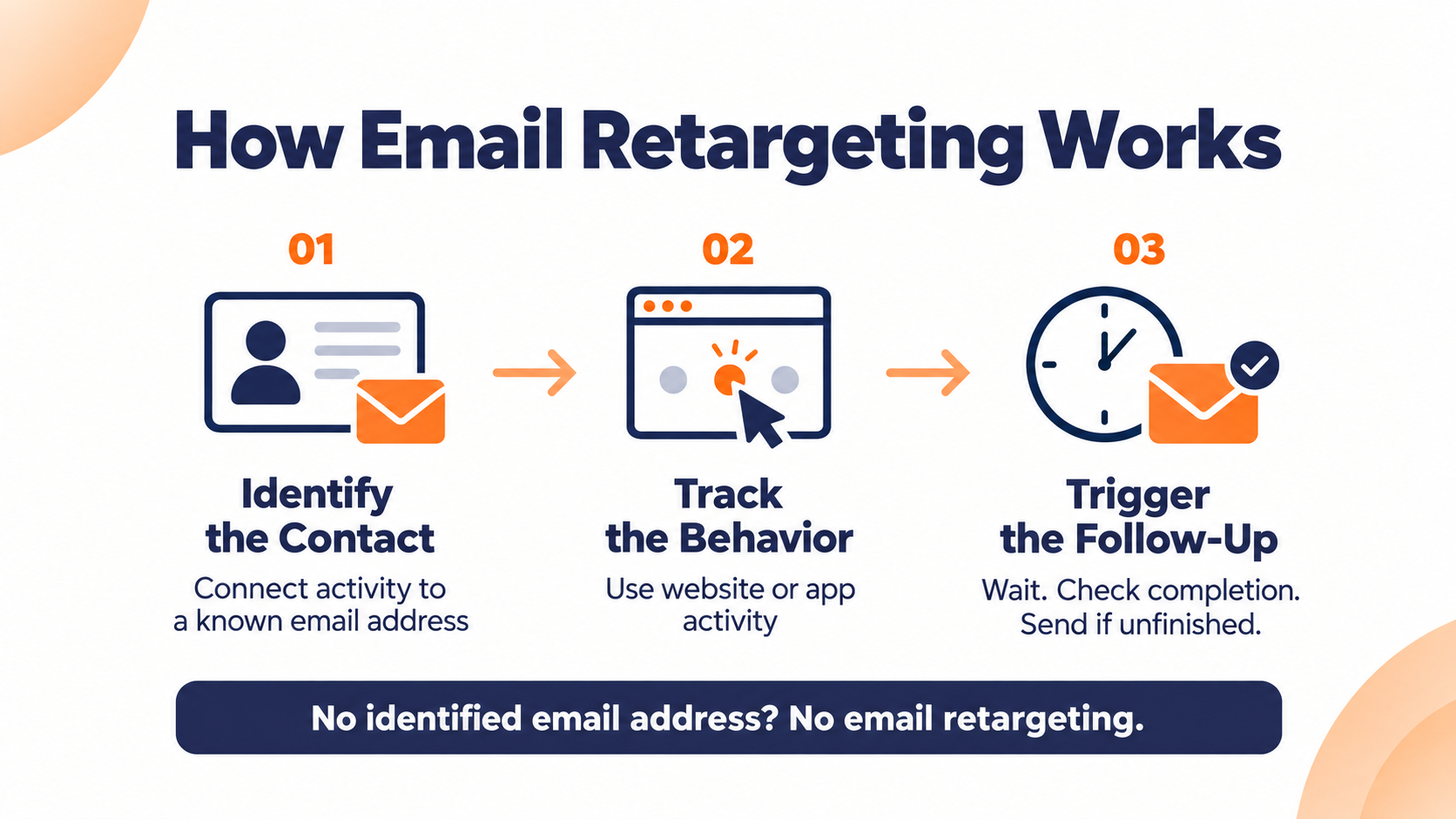
Every email retargeting flow runs on three parts. You need a contact you can identify, a behavior you track, and an automation that responds to it, the same mechanics behind behavioral email marketing generally.
How an anonymous visitor becomes a known contact
Tracking platforms start by treating a new visitor as anonymous. In Ortto's documentation, a visitor becomes known when they submit a tracked form, click a link in an email you sent, or get identified through the API, and their earlier anonymous activity then attaches to that contact.
Other platforms handle this differently, and the matching usually relies on cookies, so a visitor who clears them can drop back to anonymous. If a visitor never identifies themselves, this first-party approach has no address to send to.
What actually triggers the email
The trigger is a specific action, or a specific action that never happened. Someone starts a cart and leaves, opens a pricing page and doesn't book, downloads a guide and goes quiet.
The automation waits for a set amount of time, checks whether the person finished the job, and sends only if they didn't. That check is what separates retargeting from a reminder blast, and it's the same logic behind building a drip email campaign more broadly.
Three kinds of tracking that get mixed up
Website or app event tracking records what a known contact does on your site. An email open pixel reports whether a message you sent was opened. An ad retargeting pixel tags a browser so an ad network can show that visitor ads later, and it never hands you an email address.
Email retargeting, in the sense this guide uses, depends on the first kind. The other two get pulled into the conversation because they share the word pixel.
The Email Retargeting Pixel and Its Limits
The phrase email retargeting pixel can point to two different things. The open-tracking pixel inside an email or a tracking script on a website. The open pixel has a specific blind spot that you need to design around.
Why open-based triggers are less reliable
Apple Mail users get prompted to turn on a setting called Protect Mail Activity. When it's on, Apple downloads remote content in the background, regardless of whether the person engages with the email, and that includes tracking pixels.
For you, an open from an Apple Mail reader with that setting on can be an open nobody performed. A flow that follows up with everyone who opened can fire for people who never read a word, which is the core problem with email open rate tracking since Apple's change.
To combat this, you should rely on clicks, form fills, and site actions instead. Clicks come with their own caveat, covered in the best practices below.
What the cookie news means for email retargeting
For years, the headline was that Chrome would phase out third-party cookies. In April 2025, Google said it would keep Chrome's existing third-party cookie choices in users' privacy settings and would not roll out a new standalone cookie prompt.
First-party email retargeting leans less on third-party cookies than ad retargeting does. Your site tracking still depends on how it's implemented and what each visitor's browser settings allow, so treat your list as the durable asset and site behavior as a useful but imperfect signal.
Email Retargeting Use Cases You Should Build
Retargeting flows are a subset of triggered email, and triggered email has a strong record against scheduled sends. In NP Digital's analysis of more than 162 million emails from 30 companies, trigger-based emails averaged a 4.4% click rate against 2.3% for scheduled emails.
That's a broad triggered-versus-scheduled comparison, not a retargeting benchmark, but it shows why building email campaigns based on behavior beats the calendar. The same study reported open rates of 56.1% against 28.5%, though opens deserve the Apple caveat above.
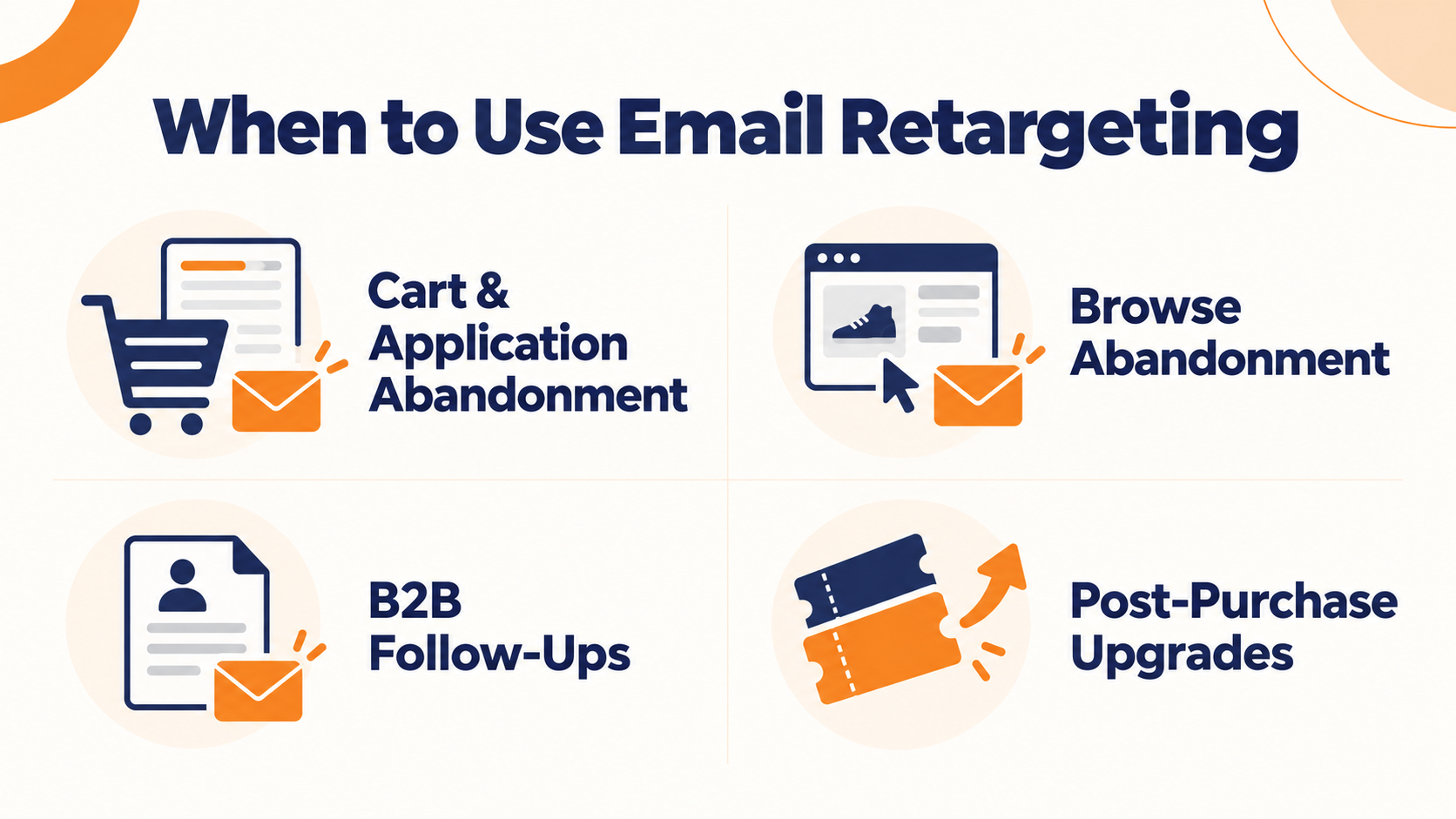
Cart and application abandonment
Baymard Institute's running average puts online shopping cart abandonment at 70.22% across 50 studies. That number tells you how many carts stall, not how many an email will recover. Treat it as context for why abandoned cart follow-ups exist, not as a forecast of what they'll win back.
The pattern works outside of retail as well. 21st Mortgage Corporation, which manages more than 450,000 contacts across several sister companies on Pinpointe, built automated drip campaigns aimed at homebuyers who start a loan application and don't finish it.
Any form someone can start and walk away from is a "cart", and the same recovery logic shows up in these cart abandonment email examples.
Browse abandonment vs checkout abandonment
Keep the browse message softer than a cart abandonment email. Someone who browsed is still deciding, and a discount on the first touch can train them to browse and wait.
B2B follow-ups after a demo page or content download
Adobe's B2B retargeting overview gives an example of a lead who opens an email but doesn't sign up for the demo, followed by an email featuring a relevant case study. If you build that flow, trigger it on a click or a form start rather than the open, for the Apple reason above.
Adobe also describes a hypothetical SaaS retargeting campaign where CFOs see ROI-focused ads while marketing leaders see operational messaging. The same logic carries over to email. Different roles stall for different reasons, so your follow-up can change with them.
Upgrade and post-purchase retargeting
Retargeting keeps going after the first purchase. Innovation Arts & Entertainment, which promotes national tours for authors, comedians, and Broadway shows, uses trigger and drip campaigns in Pinpointe to retarget ticket buyers for seat upgrades.
The buyer already said yes once. The upgrade email asks a smaller second question.
Best Practices for Email Marketing Retargeting
Shopify's retargeting guidance recommends excluding contacts in a retargeting flow from your other marketing emails so messages don't overlap, and using frequency caps when emails run alongside retargeted ads. The practices below build on that.
Trigger automation on actions you can trust
Clicks are a stronger signal than opens, but they aren't proof of a person. Email security scanners click every link in a message to check for malicious content before a person ever sees it, and that bot click can falsely enroll a subscriber in an automation.
That risk is particularly relevant on B2B lists, where corporate security scanning is common. Favor high-confidence signals like completed forms, replies, bookings, and purchases, and filter clicks that look automated before they start a flow.
Match the message to the behavior
A cart abandoner, a pricing-page visitor, and a webinar no-show each stalled at a different point. Give each its own segment and its own message, so the email answers the question that person was stuck on.
Cap how often one person hears from you
Set a ceiling on retargeting sends per contact, and make it cover every flow they could be in. There's no universal number, so treat your cap as an operating choice and adjust it as unsubscribes and complaints tell you more.
Meet the mailbox provider rules
Retargeting adds sends on top of your regular program, which pushes you toward the volumes mailbox providers watch. Gmail treats any sender that sends close to 5,000 or more messages to personal Gmail accounts in 24 hours, counted across the same primary domain, as a bulk sender, and that status is permanent.
Bulk senders need SPF and DKIM authentication plus a DMARC record, one-click unsubscribe on marketing and promotional messages, and a user-reported spam rate kept below 0.3%, with Google advising under 0.1%. Transactional messages are excluded from the one-click requirement. If your email authentication setup is already behind, start there before you add retargeting volume on top of it.
Yahoo applies similar requirements to bulk senders but deliberately doesn't publish a volume threshold. Staying under Gmail's number doesn't put you in the clear there.
Email Retargeting Mistakes That Cost You Contacts
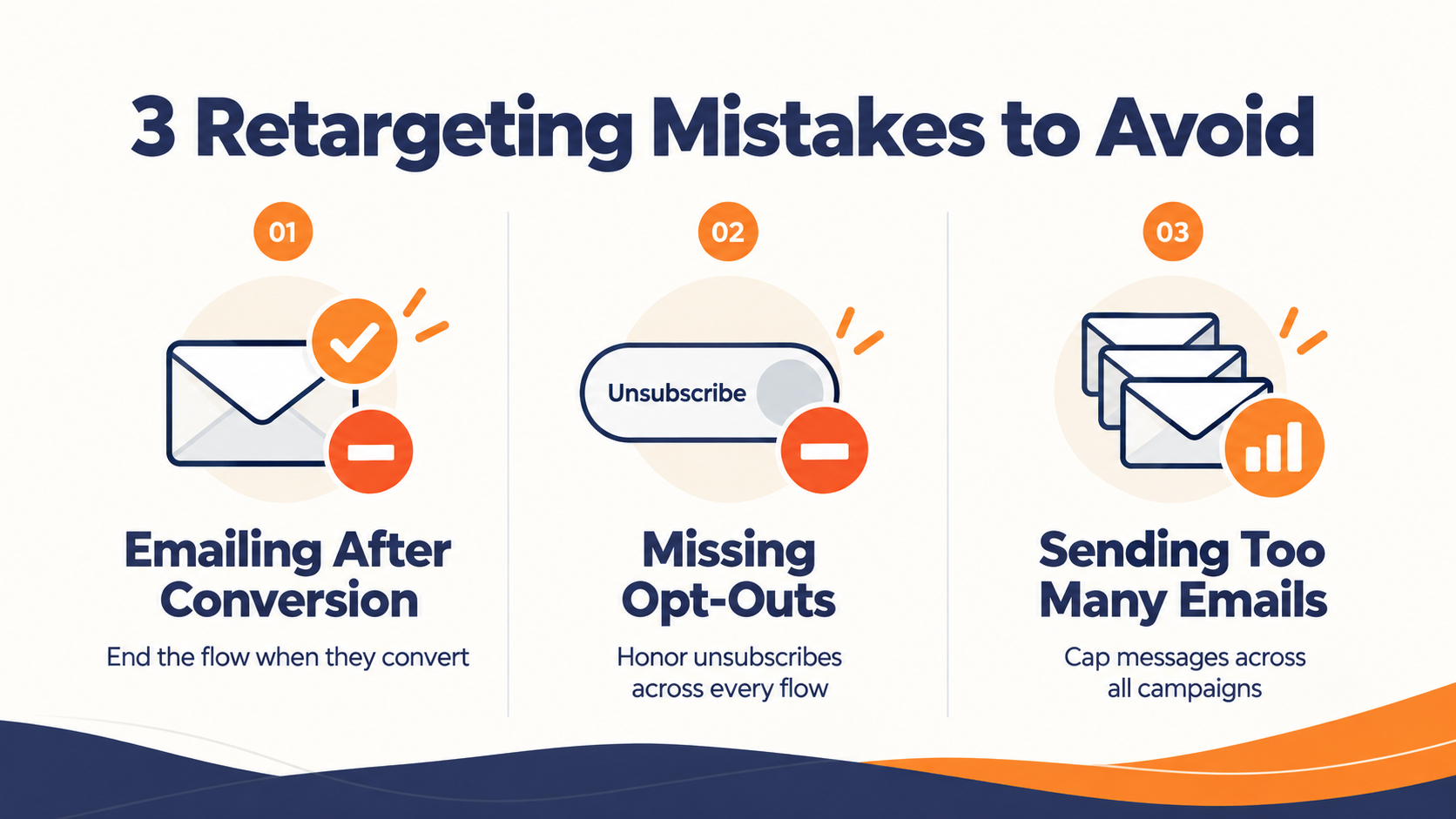
Retargeting tends to go wrong when a flow keeps running after it should have stopped. Watch for these three mistakes that can cause your email retargeting strategy to fail.
Retargeting people who already converted
The worst retargeting email is the "come back and finish" message sent to someone who already finished. Decide what ends each flow before you write the first email, so a purchase, a booked demo, or a completed application pulls the contact out immediately.
If you also run retargeting ads, the conversion has to reach that channel too. Zion & Zion describes a buyer whose email tool removed them from the abandoned-cart flow while retargeting ads kept running, because the purchase happened on a different device.
Letting opt-outs slip between flows
Every retargeting flow has to respect the same unsubscribes as everything else you send. Under CAN-SPAM, you must honor an opt-out request within 10 business days.
Gmail recommends fulfilling unsubscribe requests within 48 hours to protect your sending reputation, and separately, a bulk sender only qualifies for Google's delivery support when it meets every requirement in the sender guidelines, including the spam rate threshold. Other jurisdictions, including the UK and EU, set their own rules, so check the ones that cover your list.
A slow or confusing opt-out process is also a common reason subscribers disengage before they ever formally unsubscribe, which is worth reading up on separately in why people unsubscribe from emails.
Stacking flows until one cart becomes five emails
A retargeting flow layered on top of newsletters and promos can turn one abandoned cart into five emails in a week. Excluding retargeted contacts from your other marketing sends is the simplest way to avoid too much overlap.
Count every message a contact could receive across all active flows when you set the cap.
Making Email Retargeting Part of Your Automation Program
Email retargeting works when three things line up. You need a contact you can identify, a trigger that reflects a real action, and a flow that knows when to stop. The pixel debates matter less than whether your triggers mean something and your suppressions keep pace with conversions and opt-outs.
If your store, CRM, and forms already capture these behaviors, what's left is a set of flows that act on them quickly and step aside the moment the contact finishes.
In Pinpointe, those flows run as Journeys. A Journey can start when a contact submits a form, clicks an email link, is added to a list, or has a custom field change, and conditional branching sends people who finished the job down a different path from those who didn't.
Integrations, event triggers, and account isolation
Your store, CRM, or app can add or update a contact through our API or Zapier, for example, when someone visits a demo page. That update only starts a flow if the Journey has an entrant event configured to watch for it, so the integration and the trigger are two separate setup steps, not one automatic link. Our webhooks work in the other direction, sending open, click, bounce, unsubscribe, and complaint events out to your other systems.
Within each account, global and per-database suppressions plus a Master Unsubscribe keep opted-out contacts out of every flow. If you run retargeting for several brands or clients, each brand account runs its own Journeys from its own contacts, so one brand's cart flow never touches another brand's list.
Find where prospects stall in your own funnel
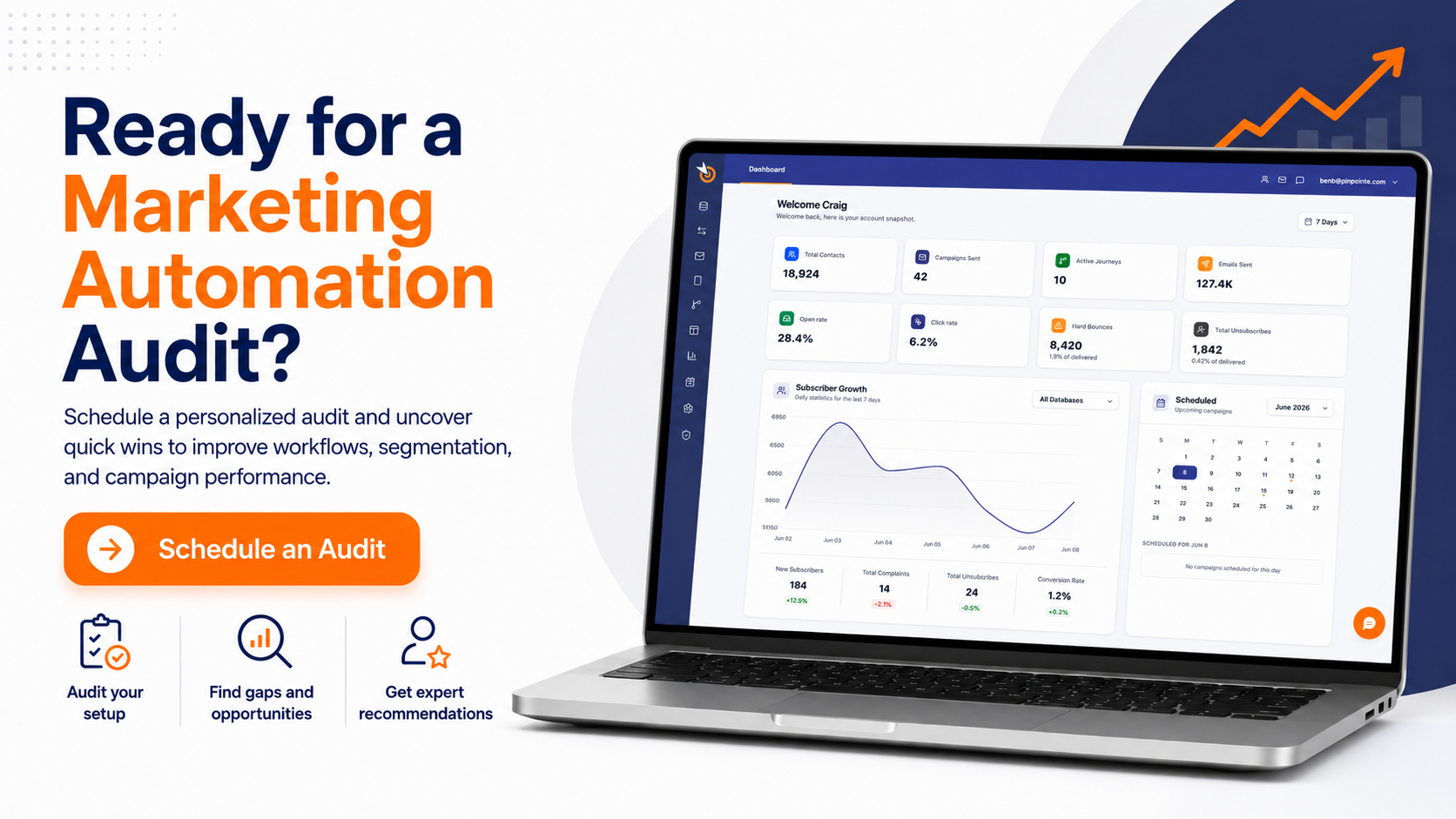
If you're not sure which drop-off to build for first, our free marketing automation audit is a 30-minute, 1-on-1 session that finds where prospects fall out of your current funnel and which manual follow-up is eating your team's time. You leave with a custom automation roadmap built around your own drop-off points.
Frequently Asked Questions
A few questions come up often enough to answer directly.
Is email retargeting the same as remarketing email?
In practice, usually yes. Some vendors reserve retargeting for paid ads and remarketing for email to known contacts, while many teams use the terms interchangeably. If the trigger is behavior and the delivery is an inbox, you are likely describing the same thing.
Do you need a pixel to do email retargeting?
You need some way to tie behavior to a known contact, which for site behavior usually means a tracking script plus a visitor who has identified themselves. The open pixel inside your emails is a weaker trigger, because Apple's Protect Mail Activity can download it in the background before anyone reads the message.
Can you send a retargeting email to an anonymous website visitor?
Not in the permission-based model this guide covers. Some approaches match anonymous visitors to email addresses, but having an address isn't the same as permission to email it. In the first-party approach, a visitor becomes reachable once they identify themselves, for example by submitting a form or clicking a link in an email you sent.
How effective is email retargeting compared with regular campaigns?
Behavior-triggered email tends to beat scheduled sends on engagement. In NP Digital's study of more than 162 million emails, trigger-based emails averaged a 4.4% click rate versus 2.3% for scheduled ones. That covers triggered email broadly, so treat it as direction rather than a retargeting-specific benchmark.