
An event confirmation email is the automatic message someone receives right after they register for, or buy a ticket to, your event. It confirms the registration went through and gives them what they need to show up, including the date, time, location or join link, and what happens next.
Picture the registrant three weeks from now. They are scrambling the day before the event, and they have forgotten the event page, the speaker's name, and probably the exact title.
What they will do is frantically search their inbox for what they think is the event name in hopes of finding some kind of event confirmation email to get the details they need.
The blueprint for high-impact event confirmation emails
That makes the confirmation worth building with care. This guide covers what to put in it, how to send confirmation emails automatically, the mistakes that cost you attendees, and three sample templates you can adapt for webinars, conferences, and paid events.
Key Takeaways
- Send the event confirmation email immediately: it is an automated message triggered the moment someone registers or buys a ticket, not a manual follow-up, and it should carry the date, time, location or join link, and what happens next.
- The registration to attendance gap is real: Goldcast's 2026 B2B Webinar Benchmark Report analyzed 26,190 webinars hosted on its platform by 522 B2B organizations during 2025, with 6.8 million registrations but only 2.2 million attendees.
- Test before you launch: Litmus once sent 150 Litmus Live registrants an empty content shell instead of their attendee welcome email, a reminder to send a real test registration through the live form before every event.
- Check CAN-SPAM's primary purpose test: a confirmation only skips the unsubscribe-link requirement if it fits one of the FTC's five narrow transactional or relationship categories, so a paid ticket purchase has a stronger case than a free registration.
- Automate at scale with a form triggered Journey: live event promoter Innovation Arts & Entertainment manages more than 500,000 contacts and sends 700 to 800 highly segmented campaigns a year to sell tickets for 300+ live events across North America.
In this guide
- What Is an Event Confirmation Email
- Why the Event Confirmation Email Matters More Than It Looks
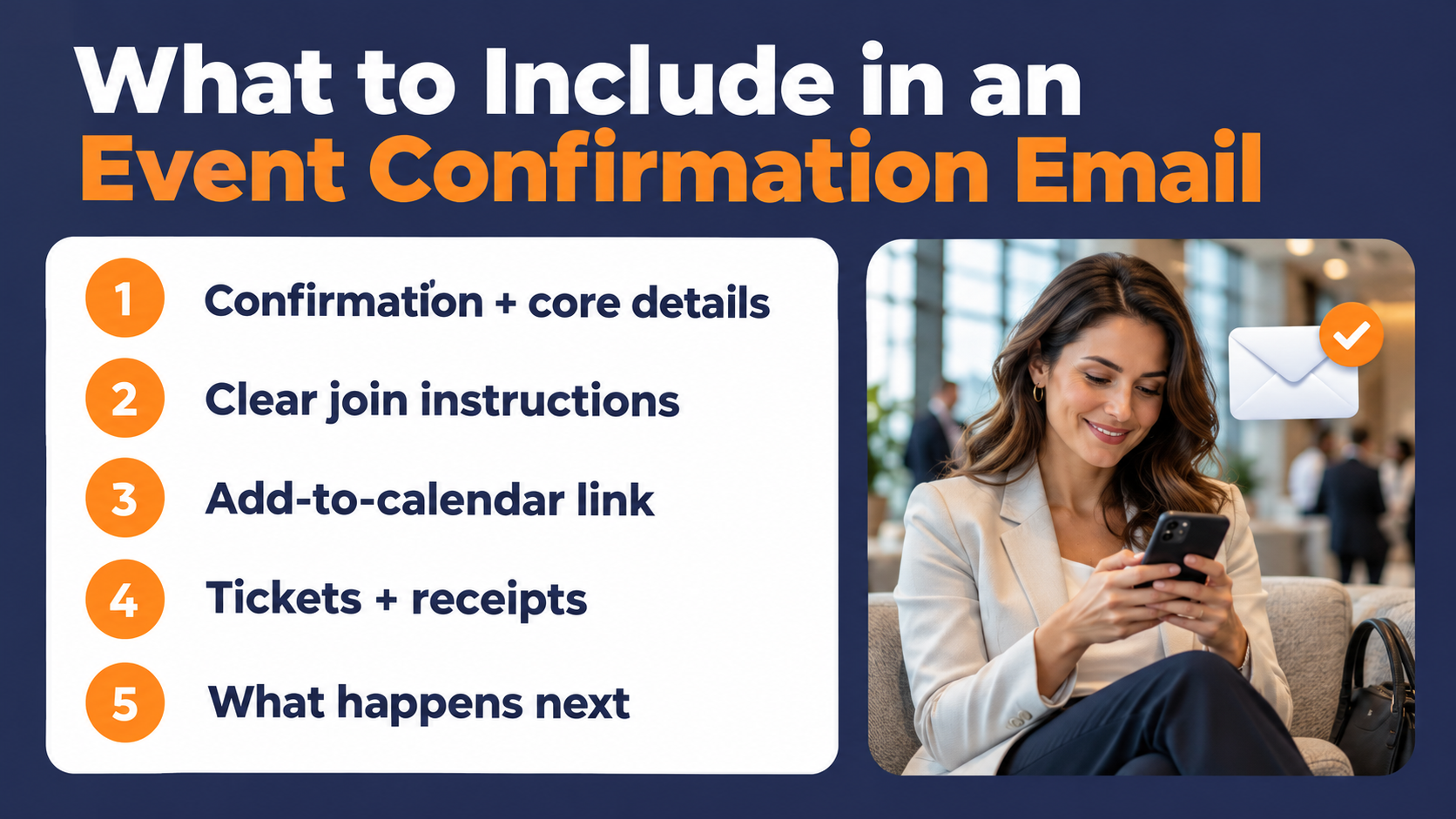
- What to Include in an Event Confirmation Email
- How to Send Confirmation Emails Automatically
- Subject Lines, Tone, and Compliance for Confirmation Emails
- Three Event Confirmation Email Templates You Can Adapt
- Common Event Confirmation Email Mistakes
- Event Confirmation Email FAQ
What Is an Event Confirmation Email
An event confirmation email is an automated message triggered by a registration or ticket purchase. The registrant takes an action, and the email answers it, ideally within seconds.
The same guide describes it as the email sent immediately after a successful registration, and Imagina frames its core job as reassuring the registrant that their registration or ticket is valid.
A registration form collects intent. The confirmation email turns that intent into a plan the person can act on, the same automate-on-action logic behind customer onboarding emails for a new product signup.
How it differs from an order receipt
Some event platforms treat the event confirmation and the order confirmation as separate messages. Ticket Tailor, for example, sends an event confirmation carrying the tickets or online event link, and a separate order confirmation every time an order is placed.
That split is one platform's design, and yours may handle it differently. The practical takeaway still holds everywhere. A receipt proves a transaction happened, while an event confirmation has to get someone to a specific place at a specific time.
Why the Event Confirmation Email Matters More Than It Looks
A confirmation email is easy to build once and forget. It is also designed to reach every person who registers, so a small mistake in it gets repeated for your whole audience.
It becomes the attendee's reference document
Because attendees lean on the confirmation for event information before they attend, it has to carry the event description, the logistics, and the join instructions on its own. If an event is months away, that email may be doing most of the remembering for them.
Write it so nobody has to go back to the event page. Anything a registrant would need on the morning of the event belongs in the confirmation email, so it can be quickly referenced without having to dig for information.
The registration-to-attendance gap you are working against
Registrations and attendance are two different numbers. Goldcast's 2026 B2B Webinar Benchmark Report analyzed 26,190 webinars hosted on its platform by 522 B2B organizations during 2025, with 6.8 million registrations and 2.2 million attendees.
Those figures describe Goldcast-hosted webinars, and they don't measure what any single email contributes to attendance. What the gap does tell you is that a registration is just a promise, not a seat filled.
The confirmation is your first chance to make that promise easier to keep, and pairing it with solid event promotion ideas earlier in the funnel means more of those promises are worth keeping in the first place.
What to Include in an Event Confirmation Email
Keep the core details at the top, where someone skimming on a phone will see them first. Everything below that line should be supporting material.
A clear confirmation and the core details
Open by confirming the registration in plain words, then give the event name, date, time with time zone, and location. Formstack recommends pairing those essentials with on-brand styling and the registrant's name or other form data, so the email reads like it came from you and was written for them.
Include a short description of the event too. The Events Calendar's guide suggests a brief reminder and description of the event, especially when it is far in advance.
Join instructions for virtual events
For a webinar or virtual event, the join link is the most important thing in the email. Make a virtual event link loud and clear, and tell attendees how to get into the platform you use.
If your meeting uses a passcode or a waiting room, say so in the confirmation. This matters even more once your webinar marketing efforts bring in a wave of registrants who all need the same clear instructions.
Put the link in a button and repeat it as plain text below the button. If the button is built as an image and the reader's email client blocks images, the button can disappear, and a registrant who can't find the link minutes before your webinar is a no-show.
An add-to-calendar link
A calendar entry keeps working after your email scrolls out of view. An add-to-calendar link lets a subscriber put the event on their calendar in one click, and offering an ICS file alongside calendar links allows email clients to differ in what they support.
Offer Google, Outlook, and Apple options, or one universal ICS link. Test each one before launch, since a calendar invite with the wrong time zone is worse than none at all.
Tickets, QR codes, and receipts
In-person and paid events need a few extra elements. Formstack recommends including payment confirmation so guests have a receipt, and some platforms, such as MembershipWorks, let organizers add a unique QR code for check-in.
If your event has a refund or cancellation policy, this is the place to list it. People look for it when plans change, and the confirmation is where they will search.
What happens next
Tell the registrant what to expect between now and the event. Reminder emails are a natural home for speaker information, agendas, and access details, so a single line about what's coming works well here.
Something like "We'll send a reminder the day before with your link" sets expectations and makes the next email feel anticipated rather than random.
How to Send Confirmation Emails Automatically
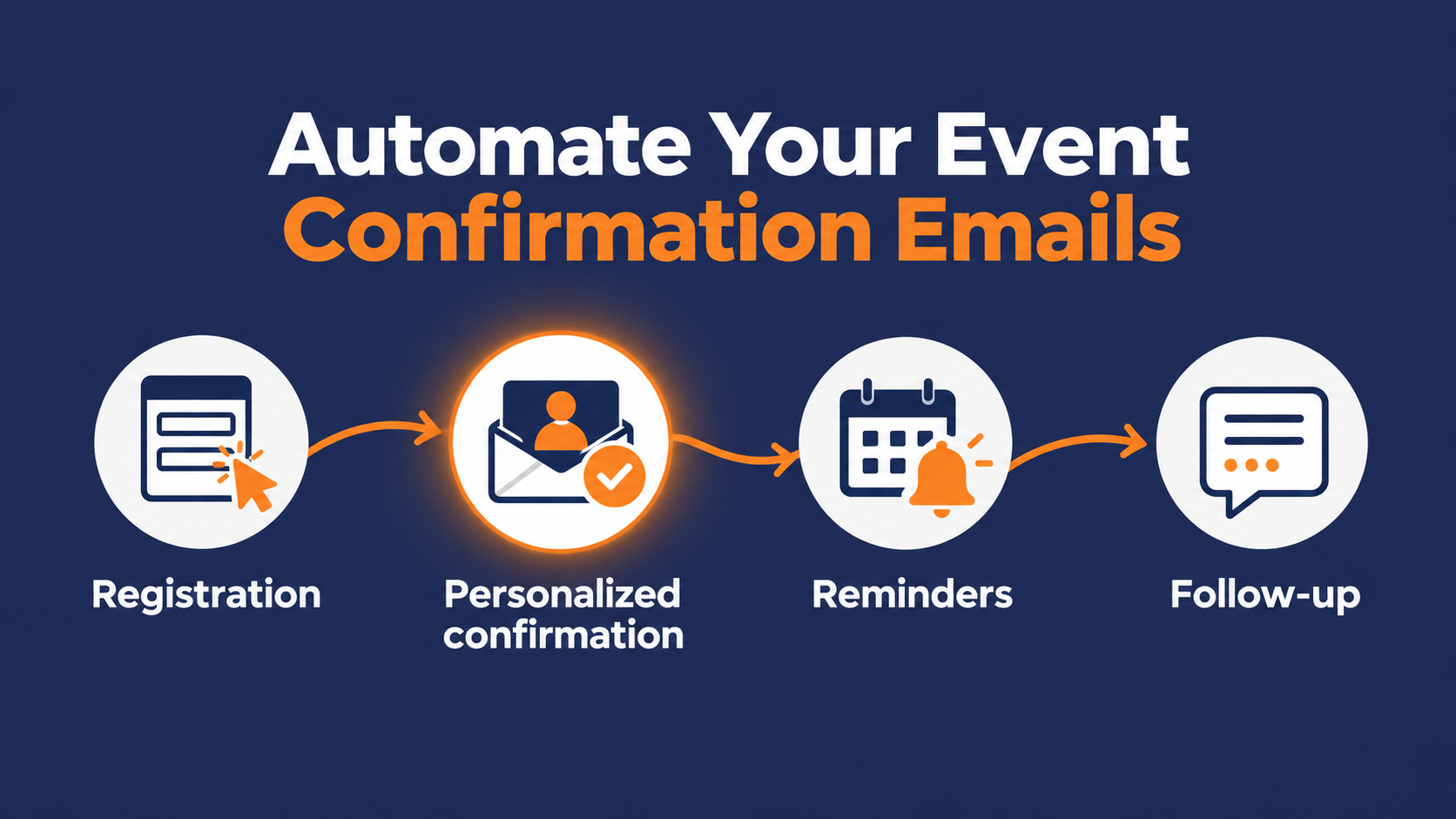
Nobody should be sending confirmation emails by hand. The message works best when it lands within moments of the registration, while the person still remembers why they signed up.
Trigger it on the registration itself
Imagina describes the registration confirmation as an automatic email sent after someone registers, and that automation is the whole point.
Connect your registration form to a workflow that fires the confirmation the instant a form submission comes in, the same logic behind behavioral email marketing. Generally, you should use a real action, not a calendar date, to decide when the message goes out.
The place many marketing organizations see breakdowns is when your registration tool and your email platform are separate systems. The connection between them is just one more thing that can fail. Test the full path with a real registration before you promote the event.
Personalize from registration data
Everything a registrant tells you on the form can shape the confirmation. Formstack points out that the email can pull the guest's name and other details directly from their form.
Use that data for more than a greeting. If someone picked a breakout track, a session time, or an in-person versus virtual option, confirm that specific choice back to them.
Doing this can give your registrant the peace of mind that they signed up for the right thing and won't have to second-guess that they made a mistake in the registration process.
Let reminders carry the rest of the sequence
The confirmation is the first email in a short series. TicketSpot lays out a reminder timeline of an email about a week out, an email or text 24 hours before, and a two-hour reminder where it prefers SMS, with the confirmation going out at registration.
Give each email one job. The confirmation acknowledges and equips, the reminders bring the event back to mind, and the follow-up handles what happens afterward, together working like a short drip email campaign built around one event instead of one product.
Subject Lines, Tone, and Compliance for Confirmation Emails
The confirmation's content gets most of the attention, but the subject line and how much you sell inside the email matter just as much.
Write a subject line people can search for later
Clear beats clever here, and the reason is practical. The registrant will search for this email later, so put the event name and the word "confirmed" or "registered" in the subject.
"You're registered for [Event Name] on [Date]" works. "Thanks!" does not, because nobody searches their inbox for "thanks." For more on what makes a line work across formats, see best email subject lines.
Keep the promotion light
Altcraft lists too much advertising as a common confirmation email mistake. The registrant opened this email for reassurance and logistics, so give them that first.
A small, relevant extra is fine. Formstack suggests adding a newsletter sign-up link or your event hashtag, as long as it sits below the details and doesn't compete with them.
Know where the CAN-SPAM line falls
In the U.S., a confirmation's classification under CAN-SPAM is a legal question. The FTC's compliance guide says a message can skip the unsubscribe link only if its primary purpose fits one of five narrow transactional or relationship categories, and that a message is treated as commercial if the bulk of its transactional content doesn't appear at the beginning.
One of those categories covers confirming a commercial transaction the recipient already agreed to, which may fit a paid ticket purchase. A free webinar registration is less clear-cut, and adding promotional content makes any confirmation harder to treat as transactional.
When in doubt, include an unsubscribe link
The simplest path is to include an unsubscribe link anyway, keeping in mind that a commercial message also has to meet CAN-SPAM's other requirements, such as accurate header information, a valid physical postal address, and honoring opt-outs.
Check the rules in other countries where your registrants live, and talk to counsel if you're unsure.

Three Event Confirmation Email Templates You Can Adapt
The templates below are Pinpointe-written samples, built to show the elements above in action. They are not copied from any real brand's campaign. Swap the bracketed fields for your own details that fit your event.
Webinar registration confirmation template
Use this for a live webinar with a join link and a replay.
Subject: You're registered for [Webinar Title] on [Date]
Hi [First Name],
You're confirmed for [Webinar Title] on [Day, Date] at [Time] [Time Zone].
Join link: [Join Webinar button]
If the button doesn't work, copy this link into your browser: [Plain URL]
Add it to your calendar: [Google] · [Outlook] · [Apple/ICS]
In [length] minutes, [Speaker Name] will walk through [one-sentence description of what attendees will learn].
We'll send a reminder the day before with your link. Can't make it live? Stay registered, and we'll email you the recording.
Questions? Reply to this email and a real person will answer.
[Sender Name], [Company]
In-person conference confirmation template
Use this for a conference, workshop, or customer event at a physical venue.
Subject: Your spot at [Event Name] on [Date] is confirmed
Hi [First Name],
You're registered for [Event Name] on [Day, Date]. Doors open at [Time].
Where: [Venue Name], [Street Address], [City]
Parking or transit: [One line on where to park or how to arrive]
Check-in: Show this QR code at the registration desk. [QR Code]
Add it to your calendar: [Google] · [Outlook] · [Apple/ICS]
You chose: [Session or Track Name]. The full agenda will arrive in your inbox [timeframe] before the event.
Need to cancel or transfer your spot? [Manage Registration link]
See you there,
[Sender Name], [Company]
Paid event ticket confirmation template
Use this when the registration includes a payment, so the email doubles as a receipt.
Subject: Order confirmed, your ticket for [Event Name]
Hi [First Name],
Your ticket for [Event Name] on [Day, Date] at [Time] [Time Zone] is confirmed.
Order number: [Order #]
Ticket type: [Ticket Type] × [Quantity]
Total paid: [Amount]
Your ticket: [Download Ticket button]
Location: [Venue or Join Link]
Add it to your calendar: [Google] · [Outlook] · [Apple/ICS]
Refund policy: [One sentence stating the refund or transfer terms]
Keep this email. You'll need your order number if you contact us about your ticket.
[Sender Name], [Company]
Common Event Confirmation Email Mistakes
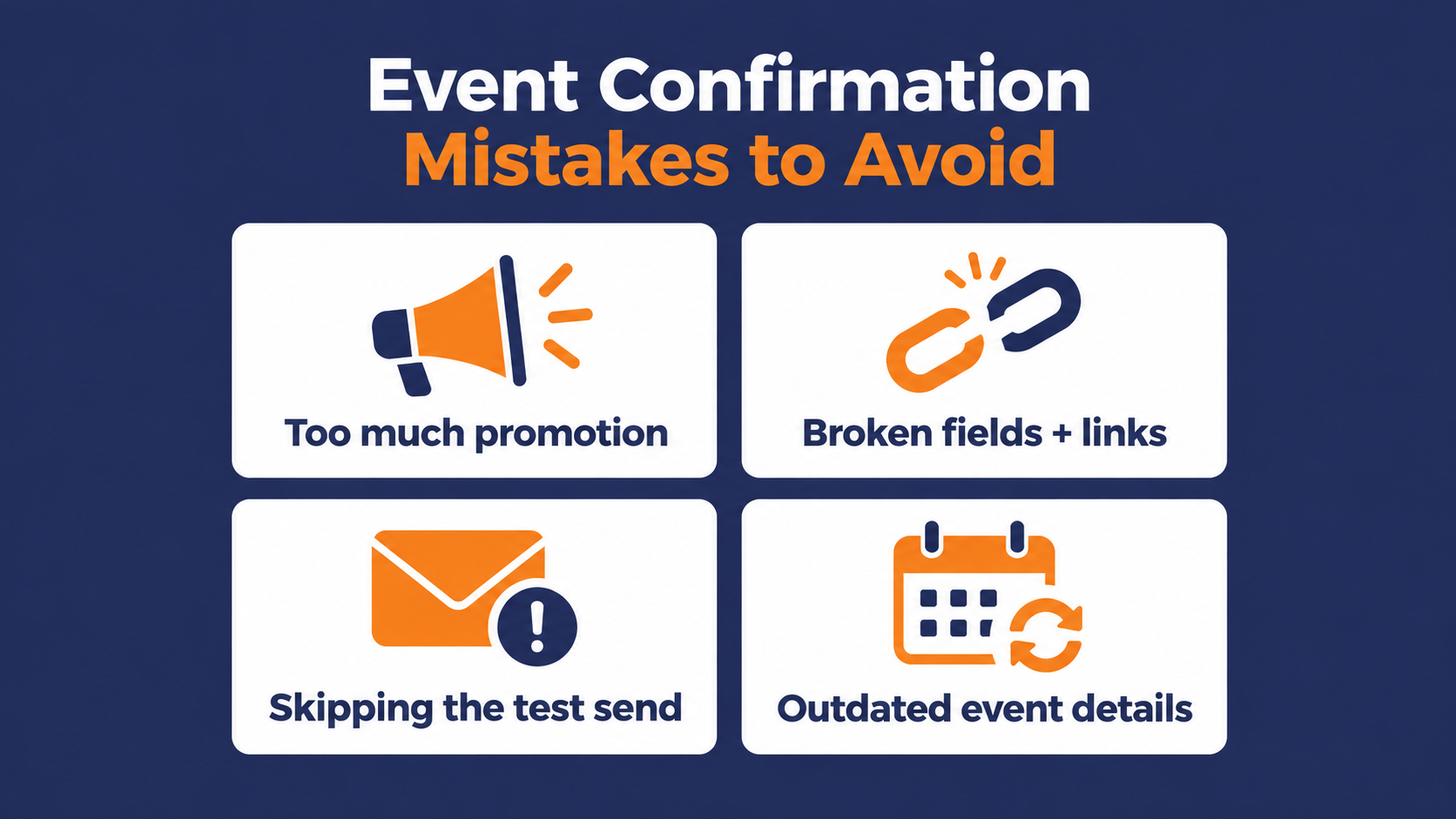
Most confirmation problems are small, but the problem is that they hit every registrant at once, so a small mistake gets multiplied exponentially.
Burying the details under a sales pitch
Altcraft lists heavy advertising among the common confirmation email mistakes. If the date and join link sit below a product promo, you have made the most important email in the event cycle harder to use.
Broken merge fields and raw links
Altcraft also warns to test variable substitutions so no one gets an email that opens with a raw placeholder instead of their name. Long, raw URLs pasted into the body cause the same kind of damage, so put links behind clear buttons or short anchor text.
Skipping the final test send
Even email specialists get caught. Litmus once sent 150 Litmus Live registrants an empty content shell instead of their attendee welcome email, and wrote openly about how they recovered.
The lesson is simple. Send a test registration through the live form, check the confirmation on desktop and mobile, click every link, and confirm the time zone before the event goes public.
Treating the template as finished forever
When the venue changes, a speaker drops out, or the join platform switches, the confirmation needs to be updated as well. It's easy to miss because it keeps running without anyone touching it.
Make a confirmation review part of your pre-launch checklist for every event, the same way you should check the registration page before going live.
Build an Event Confirmation Email That Runs Itself
A strong event confirmation email does three things. It confirms the registration in plain language, it hands the registrant every detail they will need on the day, and it fires the moment someone signs up, with reminders picking up the rest of the work.
Separate tools add failure points. A form in one system, an email in another, and a template nobody has reviewed since the last event can turn a well-written confirmation into one that arrives late, breaks, or never sends.
In Pinpointe, a submission on a Pinpointe embedded subscription form can start a Journey, so the confirmation goes out when someone registers and the reminder steps follow on the delays you set.
Trigger logic for third-party platforms
If registrations come from a separate ticketing tool, an integration built on the Pinpointe API or Zapier can pass each registrant into Pinpointe and add them to the list an "added to list" trigger watches. A webhook from your ticketing tool can feed that integration, but the integration itself has to place each contact on the right list.
Test repeat registrations before launch. A contact already in the targeted database won't re-trigger a form-based Journey, so for recurring events an event-specific list works best for first-time sign-ups, and the API can add an existing contact to a Journey directly when you need a second confirmation.
Scaling personalized event campaigns in the real world
Once each registrant's form answers are stored in contact fields, handlebar merge tags pull their name, session choice, and other details into the message. Reusable Content Blocks keep logistics like venue details or join instructions consistent across every event email.
Live-event promoter Innovation Arts & Entertainment shows what event email looks like at scale on Pinpointe. The company manages more than 500,000 contacts and sends 700 to 800 highly segmented campaigns a year to sell tickets for 300+ live events across North America. It also uses trigger and drip campaigns to retarget ticket buyers for seat upgrades.
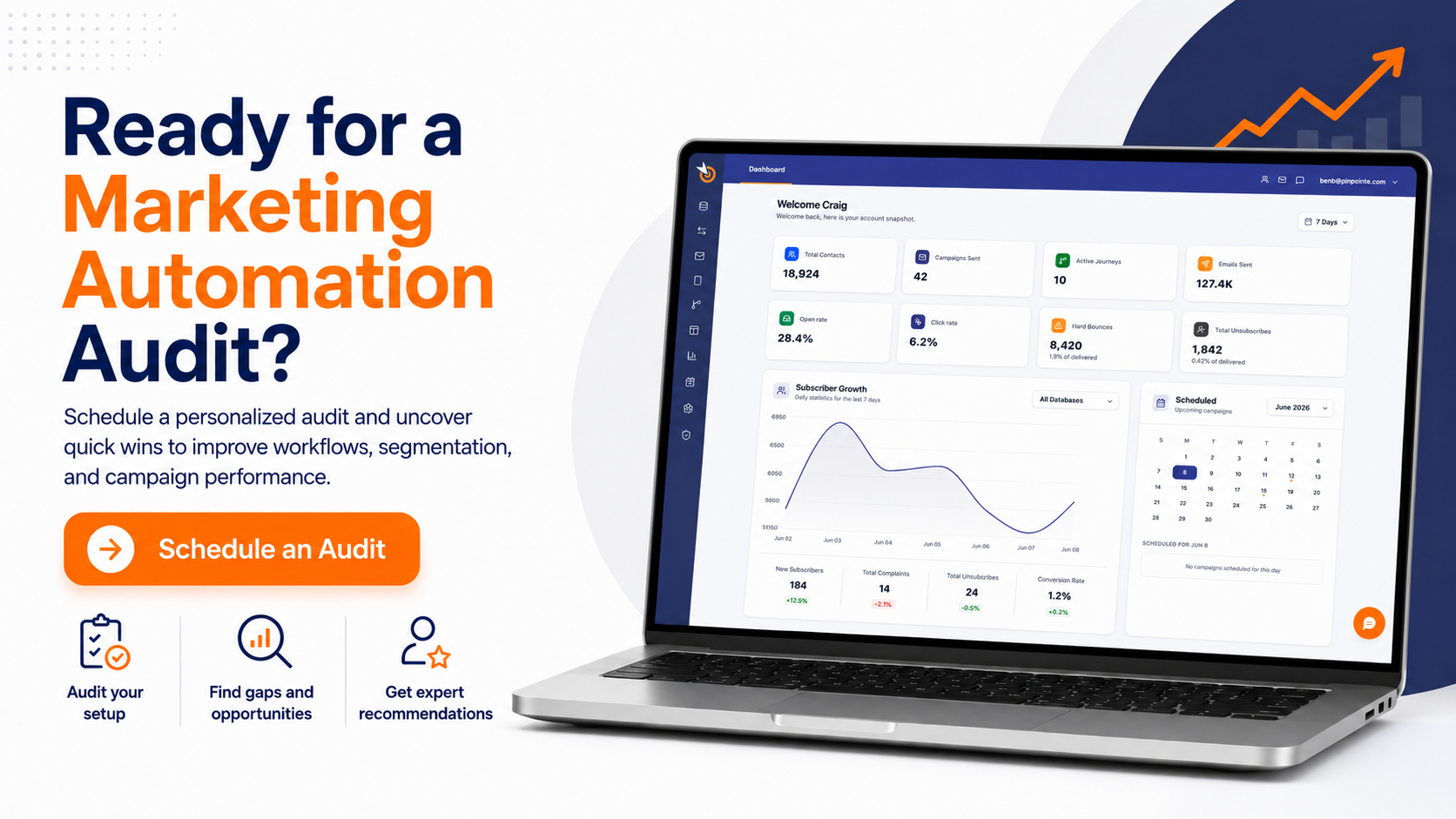
Find the gaps in your event emails with an automation audit
If your event emails are still stitched together by hand, our free marketing automation audit is a practical next step. In a 30-minute 1-on-1 session, we look at where manual work is draining your team's time and where registrants drop out of your current flow, then give you an automation roadmap you keep either way.
Event Confirmation Email FAQ
A few questions come up again and again once teams start building these out.
What should an event confirmation email include?
An event confirmation email should include a clear confirmation, the event name, date, time with time zone, and location or join link. Add an add-to-calendar link, a short event description, and what happens next. Speaker information and agendas can go in later reminder emails, as The Events Calendar's guide suggests, so the confirmation stays focused.
When should you send an event confirmation email?
Send it immediately after someone registers, as an automatic email triggered by the registration. Imagina describes the registration confirmation as an automatic email sent after registration, and a delay leaves registrants wondering whether the sign-up worked.
Do event confirmation emails need an unsubscribe link?
Under U.S. law, it depends on whether the email's primary purpose fits one of the FTC's five narrow transactional or relationship categories.
A paid ticket confirmation may qualify, a free registration is less clear-cut, and promotional content pushes any confirmation toward commercial. Including an unsubscribe link is the safest default, though a commercial message also has to meet CAN-SPAM's other requirements, and counsel can confirm your specific case.
Is an event confirmation email the same as a reminder email?
No. The confirmation goes out right after registration to acknowledge it and deliver the logistics, while reminders go out closer to the event to bring it back to mind. TicketSpot's suggested timeline places reminders about a week out, 24 hours before, and two hours before the event, with SMS preferred for the last one.