
Email marketing tools are software platforms that let businesses build, send, and track email campaigns to a subscriber list. The best one for your organization depends on how you send: your volume, how many brands or audiences you manage, what automation you actually need, and what industry you're in.
Most roundups hand you a ranked list and call it done. This one works differently. We've organized the strongest platforms of 2026 into four categories that reflect meaningfully different sending situations, free tools for getting started, platforms for high-volume and multi-brand senders, ecommerce-native tools, and options for enterprise and regulated organizations. Pick the category that matches how you send, and you'll find the right platform there.
Key Takeaways
- Match the tool to how you send: The best email marketing tool depends on sending volume, audience complexity, automation needs, and whether you manage one brand or many, not on which platform is most popular.
- Deliverability comes first: Email marketing returns an average of $36 for every $1 spent, but only if messages reach the inbox. Global inbox placement was 83.5% for 2024 activity and 87.2% for 2025, so platform infrastructure matters more than feature lists.
- Free tools have hard caps: Entry-level free plans from tools like Brevo, Sender, Mailchimp, and MailerLite cap contacts between 250 and 100,000 and limit sends, which become real constraints as a list grows.
- High-volume and multi-brand senders need dedicated infrastructure: Pinpointe's plans provide dedicated sending infrastructure with isolated customer accounts. A few examples of this are Networld Media Group sends up to 7 million emails per month across 10 publications, and Mudd Advertising manages 5,000 strictly segregated client databases.
- Regulated senders need certifications, not just features: For regulated senders, verified security is essential. Meeting strict ISO-27001 and SOC 2 Type 2 standards could be needed depending on your industry.
In this guide
- What Email Marketing Tools Actually Do
- Why Choosing the Right Tool Is a Deliverability Decision First
- How to Choose an Email Marketing Tool for Your Situation
- Best Free Email Marketing Tools for Getting Started
- Best Email Marketing Tools for High-Volume Senders, Agencies, and Multi-Brand Operations
- Best Email Marketing Tools for Ecommerce
- Best Email Marketing Tools for Enterprise and Regulated Senders
- Quick Comparison Table
- Frequently Asked Questions About Email Marketing Tools
What Email Marketing Tools Actually Do
An email marketing platform handles the infrastructure and workflow behind subscriber communication. That includes list management (collecting, organizing, and segmenting contacts), campaign creation (building the email itself), delivery (actually getting it to the inbox), automation (triggering sequences based on time or behavior), and analytics (tracking what happened after you hit send).
The category is distinct from adjacent tools that sometimes get conflated with it. Cold outreach platforms like Instantly or Smartlead are built for sequenced prospecting to contacts who haven't opted in.
Transactional email APIs like Mailgun or SendGrid are infrastructure tools for firing password resets and receipts programmatically. SMS platforms handle text messaging, or with Pinpointe you can send both Email Marketing and SMS messaging campaigns. Email marketing tools are specifically for permission-based campaigns to subscriber lists.
Email marketing tools vs. drip campaign tools, is there a difference?
Drip campaigns are automated email sequences triggered by time intervals or subscriber behavior. They're a feature built into most email marketing platforms, not a separate product category.
A time-based drip fires on a schedule (day one welcome, day three follow-up, day seven check-in). A behavior-based drip fires when a subscriber does something specific, such as opening an email, clicking a link, or downloading a resource.
Most platforms that call themselves "drip campaign tools" are simply email marketing platforms with automation builders that support these triggers, and building a drip sequence that converts depends more on the workflow logic than on the platform's label.
What email capture tools have to do with your email marketing platform
Most email marketing platforms include basic list-building features such as embedded signup forms, landing page builders, and pop-up options. These cover the majority of list-growth scenarios without requiring a separate tool, especially if you follow proven opt-in form practices.
Dedicated email capture tools (like OptinMonster, Privy, or Sleeknote) go further with advanced behavioral targeting, exit-intent triggers, A/B testing for form variants, and ecommerce-specific capture flows. They integrate with your email platform rather than replacing it.
If email list growth is your primary constraint and you're running traffic to your site, a dedicated capture tool is worth evaluating. If you're focused on the email side of the operation, your platform's built-in forms are usually enough to start.
Why Choosing the Right Tool Is a Deliverability Decision First
Pick a platform by feature list, and you'll get the platform with the best marketing team, not necessarily the best inbox placement.
According to Litmus, email marketing returns an average of $36 for every $1 spent, higher than any other channel. But that number assumes the email reaches the inbox. When it doesn't, the campaign doesn't exist. The choice of sending platform is the first variable that determines whether your investment pays off.
What the Gmail and Yahoo 2024 bulk-sender rules mean for platform choice
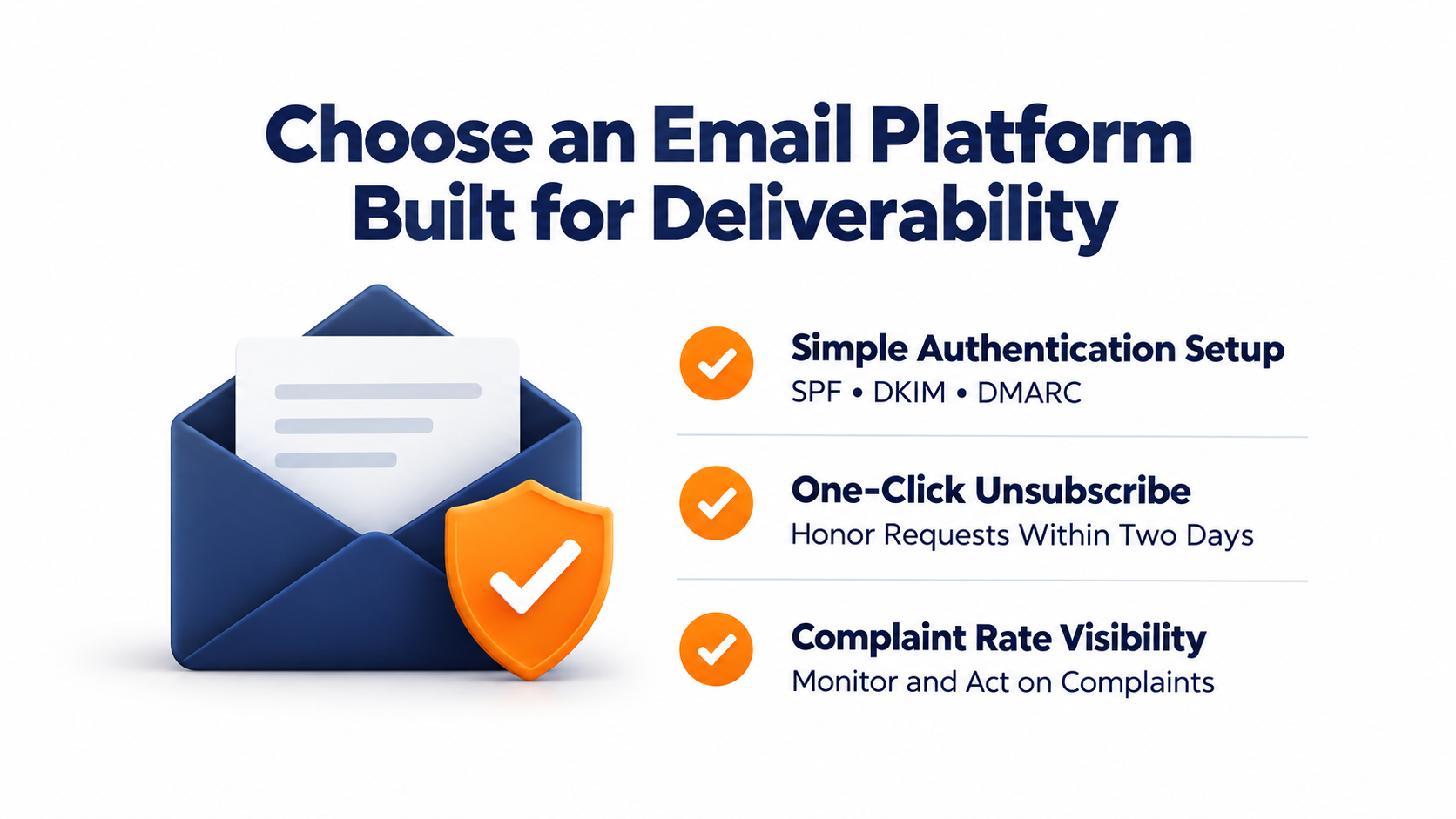
In February 2024, Google introduced new requirements for Gmail bulk senders, which it defines as senders that send close to 5,000 or more messages in a 24-hour period to personal Gmail accounts. The core Google requirements: SPF and DKIM authentication (both, not just one), a DMARC policy at minimum p=none, one-click list unsubscribe via the List-Unsubscribe header processed within two days, and spam complaint rates kept below 0.3%.
Yahoo rolled out its own bulk-sender requirements on a similar timeline, also mandating stronger SPF, DKIM, and DMARC authentication and a one-click unsubscribe honored within two days. Yahoo describes bulk senders by significant sending volume rather than publishing an identical numeric daily threshold, so treat the 5,000-per-day figure as Google's definition specifically.
Essential ESP controls to prevent email rejections
As of November 2025, Google has ramped up enforcement of these requirements, with non-compliant traffic now hitting temporary and permanent rejections. The grace period is over.
What this means for platform selection is the same across both providers: your ESP needs to make SPF, DKIM, and DMARC setup simple to configure, handle the one-click unsubscribe header correctly, and give you visibility into your complaint rates. Platforms that don't surface these controls put your deliverability at risk regardless of how good your content is.
What inbox placement rates actually look like across the industry
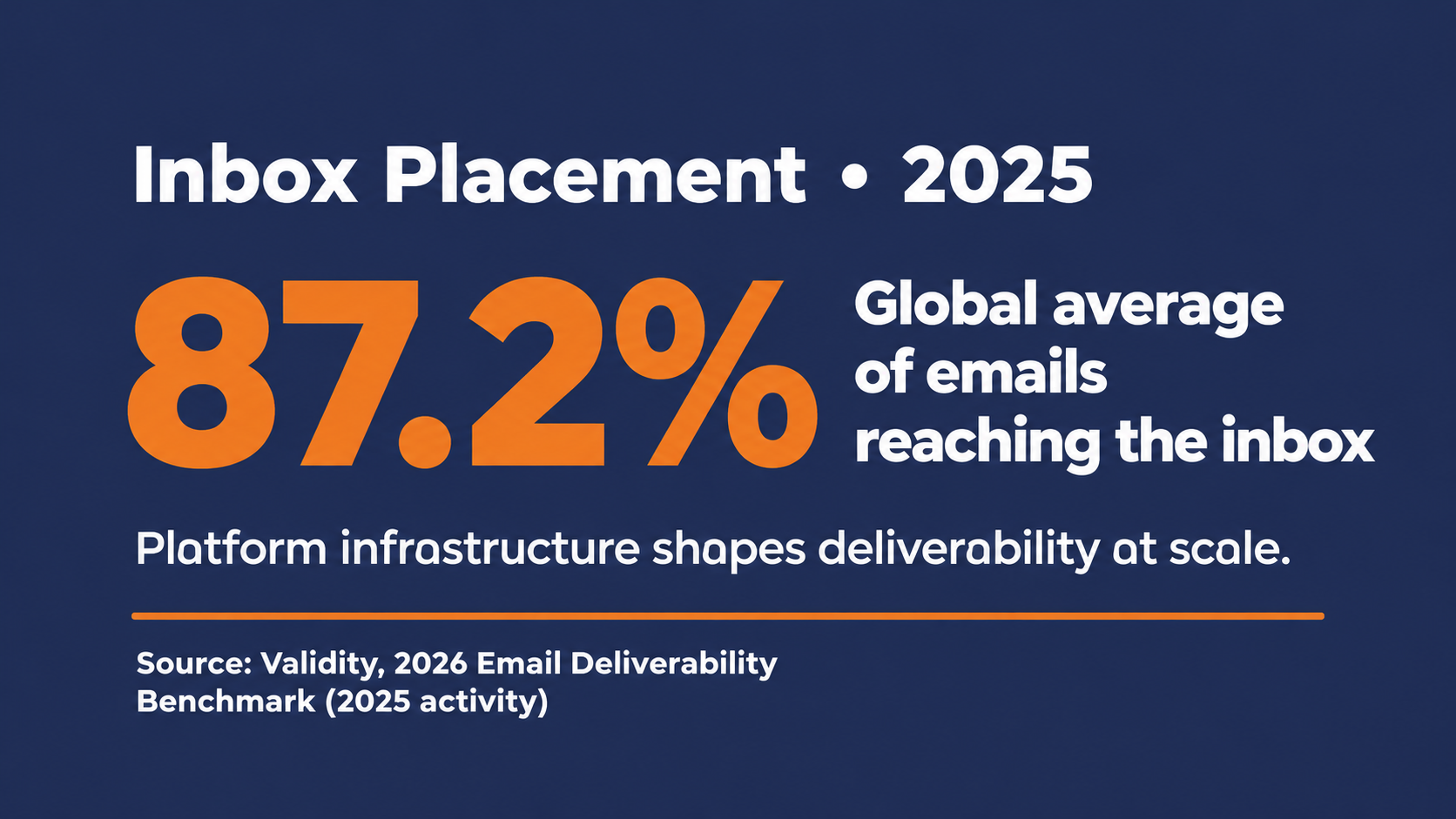
In 2024, roughly one in six legitimate marketing emails never reached the inbox. Validity's benchmark reports measure this year over year: the global average inbox placement was 83.5% for 2024 sending activity and improved to 87.2% for 2025 activity, closer to one in eight missing the inbox. The 87.2% figure is a full-year 2025 average from Validity's participating-sender dataset, so treat it as directional context rather than today's exact rate, and check the latest benchmark for the current period.
The provider-level breakdown from Validity's 2026 benchmark (measuring 2025 activity) shows where the variation lives: Gmail achieved 89.8% inbox placement, Yahoo 87.3%, Apple 82.0%, and Microsoft 77.4%. In this benchmark, Microsoft mailboxes, including Outlook and Hotmail, had the lowest inbox-placement rate among the major providers measured. If a significant portion of your list is on Microsoft-hosted accounts, that gap matters more than a feature comparison.
The takeaway isn't that you need a perfect setup before you send. It's that the platform you choose either makes managing these variables easier or harder, and at volume, harder is expensive.
How to Choose an Email Marketing Tool for Your Situation
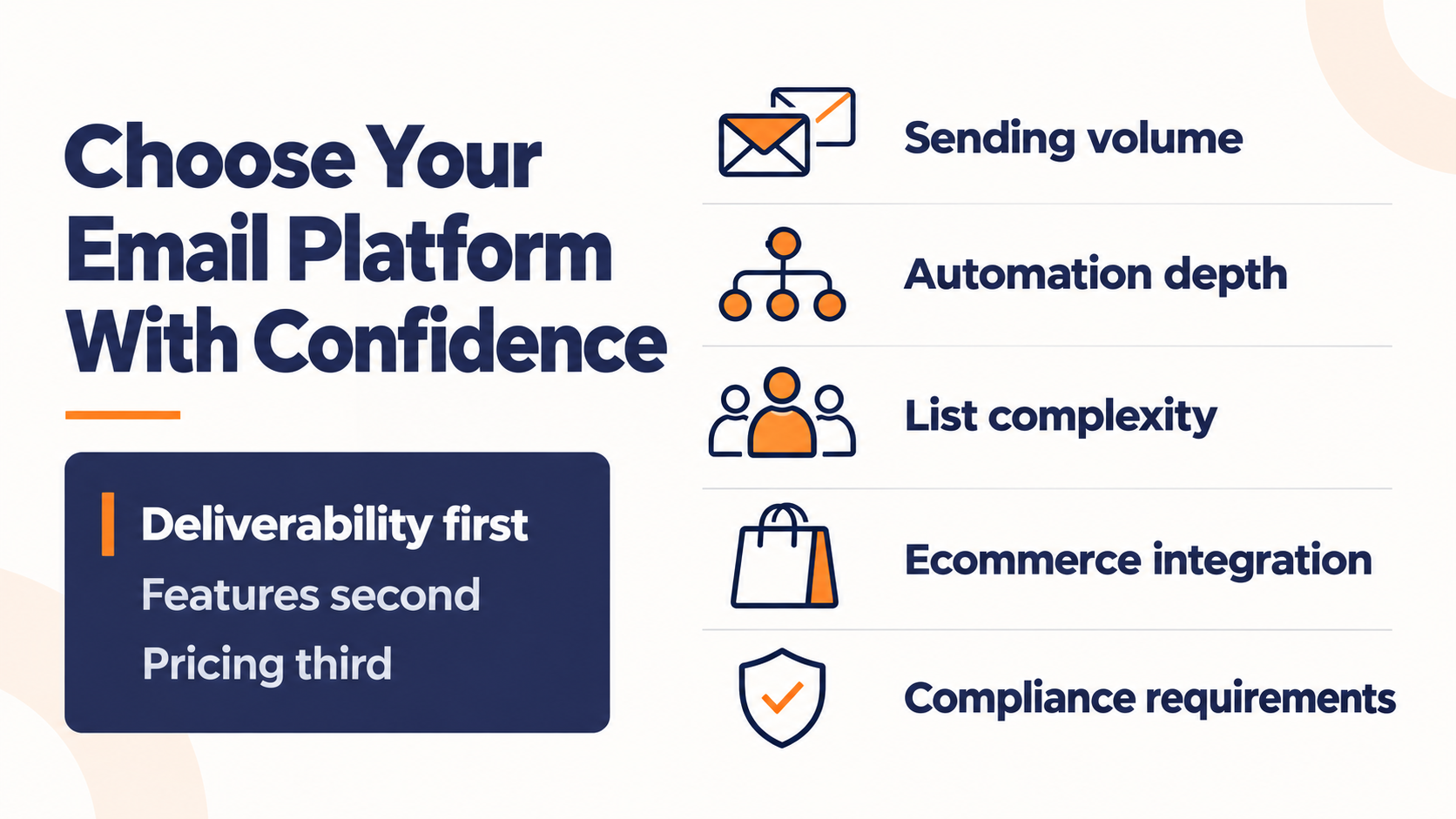
Before diving into the categories, evaluate any platform against these five criteria.
Platform choice works best as a deliverability decision first, a feature decision second, and a pricing decision third. Choosing by feature list alone, without understanding what infrastructure is underneath, is a common and expensive way to get it wrong.
Sending volume
How many emails are you sending per month, and is that number likely to grow? Free and entry-level plans put hard caps on both contacts and sends. At higher sending volumes, infrastructure, throughput, deliverability controls, and support become increasingly important. Pinpointe positions its Enterprise and Agency offerings for organizations sending roughly 250,000 to 10 million-plus emails per month.
Automation depth
Do you need simple time-based sequences, or complex behavioral workflows with conditional branching? Most platforms offer basic automation. Fewer offer the kind of behavioral trigger depth that makes drip campaigns respond to what each subscriber actually does, which is the difference between a basic autoresponder and a marketing automation strategy that builds pipeline.
List complexity
Are you managing one list for one brand, or multiple audiences across multiple brands, clients, or locations? If the latter, you need account architecture that isolates each audience, not just segmentation tags inside a single database. This is where choosing a platform that specializes in multi-brand marketing can make sense.
Ecommerce integration
If you're running a Shopify, WooCommerce, or BigCommerce store, you likely need native integration with your storefront so behavioral triggers (abandoned carts, post-purchase flows, browse abandonment) fire from real customer data.
Compliance requirements
If you're in financial services, insurance, healthcare, or a regulated sector, your platform needs to meet specific security certifications and support the compliance workflows your industry requires.
The four categories below map to these criteria. Find yours and start there.

Best Free Email Marketing Tools for Getting Started
Free-tier tools are a legitimate starting point. They're how most marketers learn the channel, and for businesses with small lists and modest sending needs, they're often adequate for months before an upgrade becomes necessary. The honest constraint is that most free plans put hard caps on contacts and sends that become genuine operational limits as a list grows.
A quick note before the breakdown. Free-plan limits change frequently and without much notice. The figures below reflect the best available data as of mid-2026, but verify the current limits directly at each vendor's pricing page before committing to a platform.
Brevo, best free plan for large lists with low send frequency
Brevo's free plan takes a different approach from most. Rather than pricing by contact count, it caps daily sends at 300 emails (9,000 per month) while allowing storage for up to 100,000 contacts. That means a business with a large list can stay on the free plan as long as it doesn't need to reach everyone at once.
The free plan includes email, a built-in CRM, basic automation, and transactional email, with SMS capability available but billed through credits purchased separately. Brevo branding appears on sent emails until you upgrade.
It's the strongest free option for businesses building a large list they plan to segment and send to in batches rather than blasting the full list weekly.
Sender, most generous free tier for small active lists
Sender's free plan covers 2,500 contacts and 15,000 emails per month, with full automation workflows included. That's meaningfully more than most competitors at the free tier.
The tradeoff is Sender branding on all emails at the free level. Paid plans remove the branding and expand limits. For small businesses that want full automation access without an immediate paid commitment, Sender is one of the few free options that doesn't force you to upgrade to run a basic welcome sequence. Confirm current pricing on Sender's own pricing page before deciding.
Mailchimp, best brand recognition, tightest free limits
Mailchimp's free plan covers 250 contacts and 500 emails per month, with limited automation at the free tier. That's a significant reduction from earlier plan limits and puts genuine constraints on what you can do for free.
It's still worth mentioning because Mailchimp's template library and integration ecosystem of 300-plus third-party connections are extensive, which can lower the learning curve for a first-time email marketer. The free plan works as a way to learn the tool. It's not a long-term sending solution at any meaningful list size.
MailerLite, strong feature set, reduced free tier
MailerLite updated its free plan on June 16, 2026, reducing the allowance from 500 to 250 active subscribers and from 12,000 to 2,500 monthly emails. The free plan still includes automation (capped at three workflows), a landing page, and a website builder, giving it more feature depth than Mailchimp at the same tier, but the caps are tight.
For teams that need to run a real welcome sequence and a few follow-up automations without paying immediately, MailerLite is worth a look. The 250-subscriber cap is the binding constraint, and paid Comfort plans start at $12 per month. Confirm current pricing at MailerLite's pricing page before committing.
When to move off a free plan
Free plans make sense when you're getting started, testing messaging, or maintaining a small, infrequently mailed list. There are a few key signals to look for to know that you've outgrown a free email marketing platform.
You're regularly hitting the subscriber or send cap, you need multi-step automation that the free tier doesn't support, you're managing audiences for more than one brand or location, or you're at the point where deliverability controls matter for your business.
The free tiers described above do not include the dedicated infrastructure or multi-account architecture discussed in the high-volume section below. Once either of those is on your requirements list, you're generally evaluating paid or enterprise-level options.
Best Email Marketing Tools for High-Volume Senders, Agencies, and Multi-Brand Operations
At a certain scale and operational complexity, the email platform question stops being about features and starts being about infrastructure.
High-volume senders, agencies managing campaigns for multiple clients, publishers running multiple properties, and businesses operating across multiple brands all share a version of the same problem.
How do you keep client or brand data and account operations separated while maintaining appropriate control over sending infrastructure from one place?
That problem is what this category of tools exists to solve.
What separates high-volume sending from everyday email marketing
The fundamental difference isn't volume alone. It's whether your platform can separate client or brand operations and give the sender appropriate control over infrastructure and reputation.
On a shared-IP sending pool, multiple senders use the same sending path, so IP reputation is shared. That does not automatically make shared infrastructure a poor choice. ActiveCampaign says the vast majority of its customers benefit from its shared IPs, while senders with at least 100,000 active, engaged contacts that they email regularly may benefit from a dedicated IP.
Evaluating dedicated infrastructure for high-volume sending
At sustained high volume or with more complex agency operations, some teams evaluate dedicated infrastructure for greater control, but a dedicated IP is not automatically better for every sender.
Dedicated IPs can be worth considering for senders with consistent high volume, primarily because they give the sender direct responsibility for the reputation of traffic on that IP. The right threshold varies by provider, sending cadence, and how consistent your volume is, so treat any single number as a planning band rather than a hard rule.
Managing agency infrastructure and IP reputation
For agencies, a dedicated agency-level environment can provide greater control over infrastructure while keeping customer accounts separated. Whether each client has an independent IP reputation depends on the platform's specific architecture.
The tradeoff is that dedicated IPs require proper warming, consistent sending volume, and active list hygiene to work correctly. They're not a shortcut to good deliverability.
Pinpointe, built for agencies, publishers, and high-volume B2B senders
If you're sending at volume across multiple brands, clients, or publications, or if you're an agency managing campaigns on behalf of dozens of clients, the infrastructure requirements above map directly to what Pinpointe's Enterprise and Agency editions are built to provide.
That gap between "I've outgrown my current ESP" and "I need a full marketing automation platform" is where Pinpointe sits.
Pinpointe's Enterprise Edition runs on an isolated virtual server with dedicated outbound MTAs, dedicated IP addresses, and full white-label branding including custom URLs and login. It supports up to 250 separate user accounts, each with its own campaign statistics, access controls, and role-based permissions. Sending capacity runs from 250,000 to 10 million-plus emails per month.
The Agency Edition is structured specifically for digital agencies hosting client email programs. It supports up to 100 separate client accounts on the same dedicated, private-label infrastructure, with Pinpointe managing the deliverability, server maintenance, and SPF and DKIM configuration. Aggregate capacity runs from 250,000 to 10 million-plus emails per month, and agencies can optionally add a branded footer to client emails.
Networld Media Group uses Pinpointe's Enterprise Edition to manage 10 distinct trade publications, sending up to 7 million emails per month. After switching from their previous ESP, they saw link clicks per email climb from 12–15 to 20–25, a result the publisher attributes to the full platform migration, including the move to dedicated IPs, Pinpointe's Inbox Previewer, SPAM Checker, and the REST API that pulls newsletter HTML directly from their CMS.
Mudd Advertising, an automotive agency serving dealerships across the country, manages 5,000 strictly segregated client databases on Pinpointe's Enterprise Edition. The open REST API syncs 2 to 2.5 million monthly email sends directly into their Salesforce reporting dashboards, giving their team unified visibility into campaign performance across the full client roster. The platform generates 1 to 3 vehicle sales per 1,000 emails sent on behalf of dealer clients.
Surplus Record, a B2B industrial equipment marketplace sending on behalf of advertisers auctioning high-value machinery, moved to Pinpointe and secured a private IP address. Open rates increased 25% to 33% as a direct result of the infrastructure change.
Pinpointe holds a 4.7 out of 5 rating on Capterra from 55 verified reviews.
AdvisorHub, a real-world example of high-frequency publishing at scale
AdvisorHub publishes breaking financial news to more than 80,000 financial advisors three times a day, deploying nearly 1,000 campaigns a year. That's a demanding tempo for any sending operation.
AdvisorHub runs on Pinpointe's Enterprise Edition with dedicated IPs and white-labeled branding. Pre-built templates in the drag-and-drop builder let the team inject breaking news stories and deploy within minutes. Real-time analytics from each send give the publisher the documentation to show advertising partners from financial institutions that in-newsletter placements are performing.
The operational requirement here isn't advanced automation or ecommerce integration. It's reliability, white-label control, and the ability to send at high frequency without the platform getting in the way.
ActiveCampaign, strong automation depth for mid-market teams
For teams that want sophisticated CRM-integrated automation, ActiveCampaign is the strongest alternative in this tier. Its automation builder supports complex behavioral workflows, lead scoring, site tracking, and conditional branching. The CRM integration means marketing and sales activity lives in the same system. Agencies can also manage multiple clients through ActiveCampaign's Agency Partner Program, which offers a multi-client dashboard and white-label branding for resold accounts.
The distinction from Pinpointe here is architectural rather than a matter of whether multi-account management exists. ActiveCampaign manages client accounts on shared platform infrastructure by default, though it offers dedicated IPs to qualifying customers. Pinpointe's Agency Edition provides a dedicated agency-level instance with dedicated mail servers and IPs, hosting up to 100 isolated customer accounts under it.
If your requirement is a dedicated agency-level deployment with isolated customer accounts, that architecture difference is the deciding factor. If you want strong automation and CRM in one place and shared infrastructure is acceptable, ActiveCampaign is a capable fit. There's no free plan (14-day trial only), and pricing scales upward as list size and feature tier increase.
Best Email Marketing Tools for Ecommerce
Ecommerce email is a distinct discipline. The tools that excel at it are built around purchase behavior, browse history, and revenue attribution rather than list management and campaign scheduling.
General-purpose email marketing platforms can handle ecommerce sends, but they treat behavioral triggers as an add-on. Purpose-built ecommerce tools treat them as the foundation.
What makes ecommerce email tools different
The defining capability is native integration with your storefront. When your email platform connects directly to Shopify, WooCommerce, or BigCommerce, it can trigger automations from real customer behavior.
An example includes someone abandoning a cart and your platform fires a sequence within minutes. Someone browses a product page three times without purchasing and the platform can recognize that signal and respond.
Campaign Monitor has reported that automated emails generate 320% more revenue than standard promotional sends. Treat that as one vendor's finding rather than a universal current benchmark, but the direction holds that the quality of automation depends heavily on the platform having direct access to transactional and behavioral data from your store.
Klaviyo and Omnisend both document AI-driven product recommendation capabilities that use catalog and customer-behavior data to personalize what recipients see. That level of personalization depends on access to catalog and behavioral data, which ecommerce-native integrations are built to provide.
Klaviyo, most powerful for data-heavy DTC brands
Klaviyo is one of the most established platforms in this category. Its Shopify, WooCommerce, BigCommerce, and Magento integrations are deep and two-way. The segmentation engine builds off predictive customer metrics like lifetime value, churn risk, and predicted next order date. It handles email and SMS from a single platform.
Klaviyo prices on active profiles rather than sends. There's a free tier for up to 250 profiles, and the paid Email plan starts around $20 per month at 500 profiles, reaching roughly $150 per month at 10,000 profiles and climbing steeply above that. Klaviyo is the strongest technical choice for brands running large catalogs, heavy segmentation, and multi-channel automation at the mid-market and enterprise level. The tradeoff is complexity and cost as your profile count grows.
Omnisend, best omnichannel value for growing stores
Omnisend combines email, SMS, and push notifications in a single dashboard, with pre-built ecommerce automation workflows designed for stores that want results without a specialist to run the platform. Abandoned cart, welcome series, and post-purchase flows are available out of the box.
The automation builder is simpler than Klaviyo's, which is an advantage for smaller teams who don't have time to architect complex conditional sequences. Shopify and Magento integrations are strong. It's often more affordable than Klaviyo at comparable list sizes, though the exact comparison depends on your list size and channel mix, so run your own numbers before deciding. It's a competitive option for growing stores that want serious automation without Klaviyo's overhead.
Drip, revenue-focused automation for small-to-mid stores
Drip is built exclusively for ecommerce. It's not trying to be an all-purpose platform, and that focus shows in the automation builder. Every plan includes the full workflow builder, behavioral segmentation, and API access from the entry point at $39 per month for up to 2,500 contacts, with unlimited email sends. There's no premium tier gating core automation.
Drip supports SMS alongside email in the same workflow builder, though SMS credits are purchased separately from the base plan. It's the right choice for Shopify and WooCommerce stores that want serious behavioral automation at a lower entry cost than Klaviyo, especially in the sub-10,000 contact range where the price difference is meaningful.
Best Email Marketing Tools for Enterprise and Regulated Senders
Regulated industries don't have the option of treating compliance as a post-launch consideration. For financial services firms, insurance administrators, healthcare organizations, and government entities, the platform's security certifications and compliance controls are gating requirements before a feature comparison even starts.
What regulated senders need that standard tools don't provide
Financial-services email programs may be subject to multiple compliance requirements depending on the organization and the communications involved. FINRA Rule 2210 governs communications with the public by FINRA member firms, while SEC Rule 17a-4 requires broker-dealers to retain specified business communications. CAN-SPAM establishes requirements for commercial email. Which obligations apply depends on the firm, the message, and the applicable regulatory framework.
Healthcare adds HIPAA to the equation. The Security Rule requires technical safeguards such as access controls and audit controls for electronic protected health information (ePHI) held or transmitted by covered entities and their business associates. Encryption is an addressable implementation specification, meaning an organization must assess whether it is reasonable and appropriate, document that decision, and use an equivalent alternative when appropriate. The minimum-necessary standard comes from the HIPAA Privacy Rule. Together, these requirements shape the safeguards an organization must evaluate when patient information is involved.
In the Litmus from Validity State of Email 2025 research, 14% of marketers cited data privacy compliance as a major operational challenge overall, rising to 23% among organizations allocating 15% or more of their marketing budget to email. For regulated organizations, that challenge is the baseline, not an edge case.
SOC 2 and ISO-27001 certifications for regulated B2B sending
The certification requirement matters here because it's the class of credential that procurement and IT can require in regulated environments. It's not a feature differentiator. It can be a gating requirement for vendor selection in healthcare, financial services, and government, as it was for Torrance Memorial's IT department.
Coastal Insurance Underwriters, a commercial insurance program administrator operating across seven states, maintained a 96% to 99% inbox deliverability rate for 5.5+ years using Pinpointe's ReturnPath-certified dedicated IP infrastructure. The case study describes Pinpointe's dedicated IP configuration, spam-checking tools, and ISP feedback-loop management as part of the organization's deliverability setup.
Enterprise marketing cloud platforms for the largest regulated organizations
For Fortune 500 organizations and large enterprises that need full marketing cloud integration, the incumbent options are Salesforce Marketing Cloud, Oracle Eloqua Marketing Automation, and Adobe Marketo Engage (these are three separate products from three separate vendors). Each offers deep compliance governance features, extensive integration ecosystems, and the enterprise procurement and legal frameworks that large regulated organizations require.
Quick Comparison Table Of Email Marketing Platforms
Use this table as a starting point, not a final verdict. Verify current pricing and free-tier limits directly with each vendor before making a purchase decision.
| Tool | Category | Best for | Free plan | Starting price (paid) | Key strength |
|---|---|---|---|---|---|
| Brevo | Free / Starter | Large lists, low-frequency sends | Yes (up to 100K contacts, 300/day) | from ~$9/mo | Sends-based pricing, multi-channel |
| Sender | Free / Starter | Small active lists with full automation | Yes (2,500 contacts, 15K/mo) | Paid tiers vary | Generous free-tier limits |
| Mailchimp | Free / Starter | First-time email marketers | Yes (250 contacts, 500/mo) | from ~$13/mo | Integration ecosystem, templates |
| MailerLite | Free / Starter | Feature-rich free tier for small lists | Yes (250 contacts, 2,500/mo) | from $12/mo (Comfort) | Automation on free plan |
| Pinpointe | High-volume / Agency / Multi-brand | Agencies, publishers, multi-brand ops | No (Paid pilot) | $99/mo (standard), $490/mo (Enterprise) | Dedicated infrastructure, multi-account isolation |
| ActiveCampaign | High-volume / Mid-market | Advanced automation, CRM integration | No (14-day trial) | from ~$15/mo | CRM-integrated automation depth |
| Klaviyo | Ecommerce | Data-heavy DTC brands | Yes (250 profiles, 500/mo) | from ~$20/mo (Email) | Predictive analytics, email + SMS |
| Omnisend | Ecommerce | Growing stores, omnichannel | Yes (limited) | Paid tiers vary | Email + SMS + push, simplicity |
| Drip | Ecommerce | Small-to-mid stores, Shopify/WooCommerce | No (14-day trial) | $39/mo (2,500 contacts) | Full automation from entry price |
| Salesforce Marketing Cloud | Enterprise | Fortune 500, full marketing cloud | No | Enterprise pricing | Full marketing cloud integration |
Pricing and free-plan figures reflect the best available data as of mid-2026 and change frequently. Confirm current terms directly at each vendor's pricing page before committing. Klaviyo prices on active profiles rather than sends. Omnisend and Drip SMS features involve separately billed credits.
Frequently Asked Questions About Email Marketing Tools
Do I need a separate email capture tool, or does my email marketing platform handle that?
Most email marketing platforms include embedded signup forms, landing page builders, and basic pop-up options, which are enough for most list-building scenarios. Dedicated email capture tools (OptinMonster, Privy, Sleeknote) add advanced behavioral targeting, exit-intent triggers, gamification, and ecommerce-specific capture flows on top of your existing platform. If growing your subscriber list is your primary bottleneck and you're running meaningful traffic to your site, a dedicated capture tool can meaningfully improve conversion rates. If list growth is secondary to what you're sending, your platform's built-in tools are a reasonable starting point.
What is the difference between an email marketing platform and a CRM?
Email marketing platforms focus on building, sending, and tracking campaigns to subscriber lists. CRMs manage individual customer relationships, deal pipelines, sales activity, and contact history. They're built for different jobs. Some platforms combine both, like ActiveCampaign and HubSpot, which is useful when marketing and sales run off the same contact records. Others, like Pinpointe and Brevo, focus on the email operation with CRM-lite capabilities for segmentation and custom fields. The question is whether you need a single system that manages both the marketing and sales relationship, or whether your email platform and CRM can be separate tools connected by an integration.
When do I need a dedicated IP address for email marketing?
Dedicated IPs can make sense for some senders with consistent high volume, though the right threshold varies by provider, sending cadence, and how steady your volume is. A dedicated IP gives the sender direct responsibility for the reputation of traffic on that IP, but agencies should not assume that isolated client accounts automatically give every client an independent IP reputation; that depends on the platform's architecture. A dedicated IP also requires proper warming and consistent sending volume to work correctly. It's a tool for managing deliverability, not a substitute for good list hygiene.
Are free email marketing tools good enough for B2B marketing?
Free tools are a legitimate starting point for businesses building a list and testing the channel. Most free plans cap contacts between 250 and 2,500 and limit automation to basic sequences, which becomes a real constraint as sending complexity grows.
What is the difference between an email marketing tool and a drip campaign tool?
Drip campaigns are automated email sequences triggered by time intervals or subscriber behavior, and they're a feature built into most email marketing platforms rather than a separate product category.
Matching the Tool to How You Actually Send
The right email marketing tool isn't the most popular one or the one with the longest feature list. It's the one that matches how you actually operate.
Email marketing consistently delivers a higher return than any other digital channel, but that return depends on your emails reaching the inbox in the first place. Platform choice is a deliverability and infrastructure decision before it's a features decision.
Free tools work well for getting started and learning the channel. Ecommerce-native platforms like Klaviyo, Omnisend, and Drip are built for storefront integration and behavioral automation that general-purpose tools can't match. Enterprise platforms like Salesforce Marketing Cloud serve organizations that need the full stack.
If you're a digital agency managing multiple clients, a publisher running multiple properties, or a B2B organization sending at volume with multiple brands or locations in the mix, the infrastructure question matters more than any feature comparison. That's the tier where dedicated infrastructure, multi-account architecture, and platform reliability can materially affect how the email program operates and where Pinpointe fits in for many organizations.

Methodology for Comparison
We evaluated platforms based on five factors that materially affect email operations: deliverability infrastructure, sending volume and scalability, automation depth, account and audience architecture, ecommerce or CRM integrations, and security/compliance requirements. Pricing and free-plan limits were checked against current vendor documentation, while deliverability benchmarks were verified against industry research. Pinpointe customer examples are drawn from documented customer success stories.