Lifecycle email marketing is the practice of sending email that matches where a person is in their relationship with your business, from first interest through purchase, onboarding, retention, and win-back. The customer's stage decides each email's job, not your send calendar.
Your email calendar runs on dates. Your customers don't.
For most organizations, a new subscriber, a buyer who stalled halfway through checkout, and a customer who hasn't opened anything since spring all get the same weekly newsletter and only one of them was ready for it.
If your program leans on batch sends and you want a practical way to build stage-based email instead, this guide walks through the stages, the emails that fit each one, and how to get the first piece running.
Key Takeaways
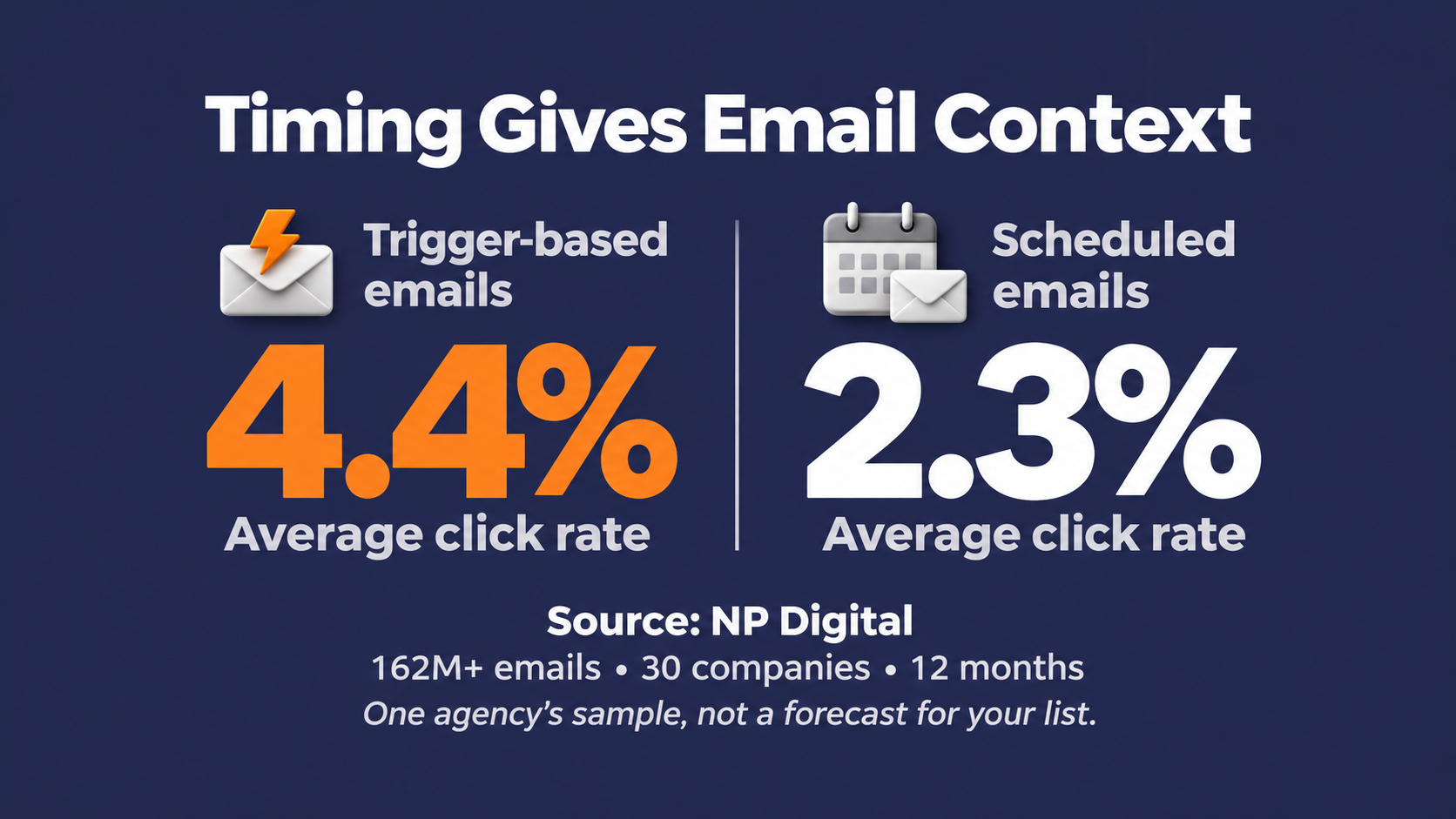
- Triggers beat the calendar: In an NP Digital analysis of over 162 million emails sent by 30 companies over 12 months, trigger-based emails averaged a 56.1% open rate and a 4.4% click rate, versus a 28.5% open rate and a 2.3% click rate for scheduled sends, the core argument for building lifecycle email marketing around behavior instead of a send date.
- Adoption still has room to grow: Only 44% of marketers said they use lifecycle emails to activate, engage, and retain customers, according to Litmus's 2024 survey of nearly 1,000 marketers.
- Multi-brand lifecycle programs work from one platform: Networld Media Group ran 10 industry publications on Pinpointe, sending up to 7 million emails a month, and saw a 167% increase in link clicks after consolidating its automation and deliverability tooling.
- Stalled applications are a lifecycle stage, not just an ecommerce problem: 21st Mortgage Corporation used automated drip campaigns for incomplete loan applications, a form of customer journey email marketing, to drive 2.5 million emails a year and help the company close more loans.
- Personalization confidence outpaces execution: 69% of marketers said their ESP handles personalization well or very well, yet first name only personalization is about as likely to hurt performance as help it, which is why customer journey personalization needs more than a merge tag.
In this guide
- What Is Lifecycle Email Marketing?
- Why Lifecycle Email Is Worth Building
- The Customer Lifecycle Stages and the Emails That Fit Each One
- Triggers, Segments, and Customer Journey Personalization
- Running Lifecycle Email Across Multiple Brands, Clients, or Locations
- Common Lifecycle Email Mistakes
- How to Build and Measure Your First Lifecycle Program
- Frequently Asked Questions
What Is Lifecycle Email Marketing?
Lifecycle email marketing ties every email to a stage in the customer relationship. A welcome email exists because someone just joined. A renewal reminder exists because a membership is about to lapse, and the stage, the trigger, and the message all have to line up for the email to land.
Lifecycle email is commonly implemented through automation, firing an email the moment a customer does something. Automation is how it scales, and it is not the definition. A stage-based email you schedule or send by hand still counts, as long as it was built for that stage.
How lifecycle email differs from campaign sends
Campaigns follow your marketing calendar. Launches, promotions, seasonal pushes, and announcements go out because a date arrived. Lifecycle email follows the customer, with each message given a job based on where that person is in the relationship.
You need both. A product launch belongs on the calendar. A first-week onboarding email belongs to whoever just signed up, whatever day that happens to be.
Lifecycle email vs. lifecycle marketing vs. automation
These three terms get swapped around constantly, and they mean different things. Lifecycle marketing is the broader strategy, often spread across email, SMS, ads, and other channels. Lifecycle email marketing is that strategy carried out exclusively through email.
Marketing automation is the tooling that triggers and sends the messages, the engine rather than the plan. Buying automation software doesn't give you a lifecycle program. Deciding what each stage needs, and when it should hear from you, does.
Why Lifecycle Email Is Worth Building
The case for lifecycle email marketing comes down to timing. A message that arrives right after a customer acts has context on its side. A batch send has to hope it lands on a good day.
What the triggered versus scheduled data shows
In NP Digital's analysis of more than 162 million emails sent by 30 companies over 12 months, trigger-based emails averaged a 56.1% open rate and a 4.4% click rate. Scheduled emails averaged a 28.5% open rate and a 2.3% click rate.
Treat that as one agency's sample, not a forecast for your list. Litmus notes that marketers are moving away from open rates as a reliable metric, so the click gap is the number worth watching. Emails sent because a person did something drew nearly double the click rate of emails sent because a date came around.
Where lifecycle adoption stands
Lifecycle email still has plenty of room to grow. In Litmus's 2024 lifecycle marketing survey of nearly 1,000 marketers, 44% said they use lifecycle emails to activate, engage, and retain customers.
Litmus has pointed to production time as part of that gap. In 2023, 51% of marketers needed two weeks or more to create a single email. In its 2026 trends coverage, Litmus reports that only 6% of teams now take longer than two weeks.
The two figures come from different survey years, so treat the shift as directional rather than a precise before-and-after. Either way, the harder work left is deciding what each stage needs and when it should fire.
The Customer Lifecycle Stages and the Emails That Fit Each One
There is no single official list of lifecycle stages. Litmus uses eight, covering awareness, engagement, consideration, activation and conversion, onboarding, retention, loyalty and advocacy, and reactivation. Ahrefs uses six, covering awareness, engagement, consideration, purchase, support, and loyalty.
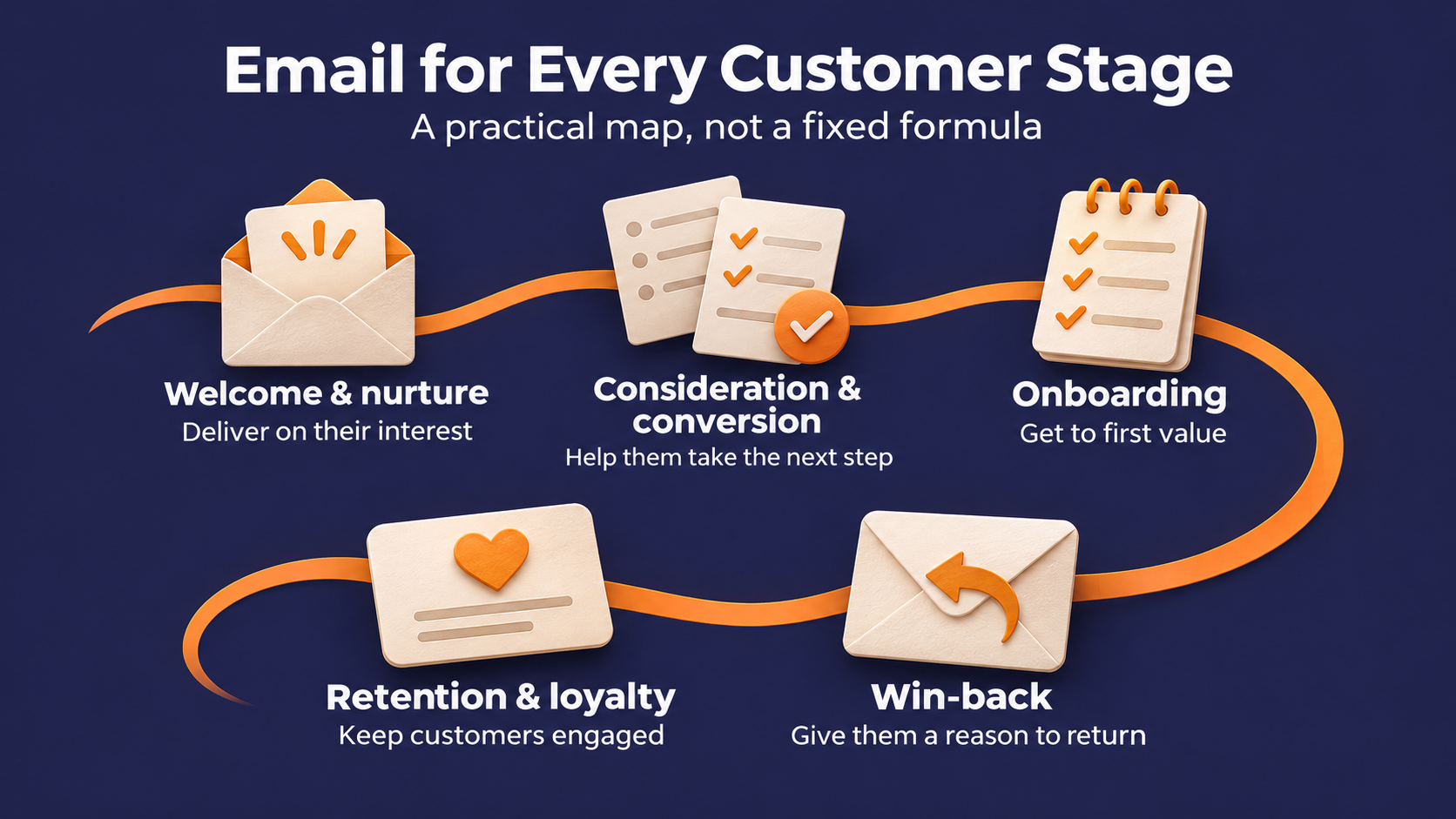
Treat any model as a working map, not a law. The grouping below draws from both models, and it is a practical starting point for customer journey email marketing that you can adjust to fit how your own customers buy.
Welcome and nurture emails for new subscribers
Someone just raised a hand. They subscribed, downloaded something, or filled out a form, and the first job is a welcome series that delivers what you promised, followed by nurture content matched to what they showed interest in.
Nurture doesn't only have to happen inside your CRM. An enterprise SaaS company selling business process automation software uses Pinpointe drip campaigns to nurture top-of-funnel trade show leads, then syncs only its most highly engaged leads to its CRM. Keeping unvetted leads out of the CRM prevents costly CRM bloat.
For a deeper breakdown of what that first series should include, see our B2B welcome email best practices.
Consideration and conversion emails that finish the job
In consideration, people are weighing their options, so content that helps them compare earns its place. When someone starts a purchase and stalls, the abandoned cart email is the classic conversion move.
Abandoned cart sounds like an ecommerce-only idea. It travels well across industries.
As an example, 21st Mortgage Corporation, a Berkshire Hathaway company, launched automated drip campaigns on Pinpointe that target homebuyers who start a loan application and don't finish it. Its case study credits those campaigns with driving 2.5 million emails a year and helping the company close more loans.
Any stalled quote request, half-finished signup, or abandoned demo form is the same moment. Someone told you they were interested and then got distracted.
If drip sequences are new to your team, our guide on building a drip email campaign that converts walks through the setup.
Onboarding emails that get new customers to value quickly
The purchase is not the finish line. Onboarding emails, like a welcome series with tutorials, setup guides, and tips tied to what the customer bought, help new customers get value quickly and reduce buyer's remorse.
A customer who never finishes setup may be at risk of disengaging before they ever see the product's value. The onboarding sequence is your best shot at catching that early.
Our guide to customer onboarding emails covers what to include in that first sequence.
Retention and loyalty emails for the customers you have
Retention emails keep current customers engaged and coming back. That means personalized recommendations, how-to content, loyalty perks, and early access for your best customers.
Two Pinpointe customers showed how specific this can get. Innovation Arts & Entertainment, which sold tickets for more than 300 live events a year to a database of over 500,000 contacts, used trigger and drip campaigns to retarget past buyers for seat upgrades. The Memphis Zoo segmented its eight-tier membership program to target members nearing renewal, which drove consistent membership upgrades.
Both work because they reach customers at a known decision point. One catches buyers before the show. The other catches members before the renewal date passes.
Win-back emails for customers who drifted
Some customers stop opening, stop buying, or let a membership lapse. A win-back email reminds them what they valued and gives them a reason to return, sometimes with an offer attached.
Be deliberate with those offers. If every lapsed customer learns that going quiet earns a coupon, you have trained the exact behavior you were trying to fix.
If bounce and inactivity are creeping up alongside your win-back sends, see our guide on re-engagement campaigns.
Triggers, Segments, and Customer Journey Personalization
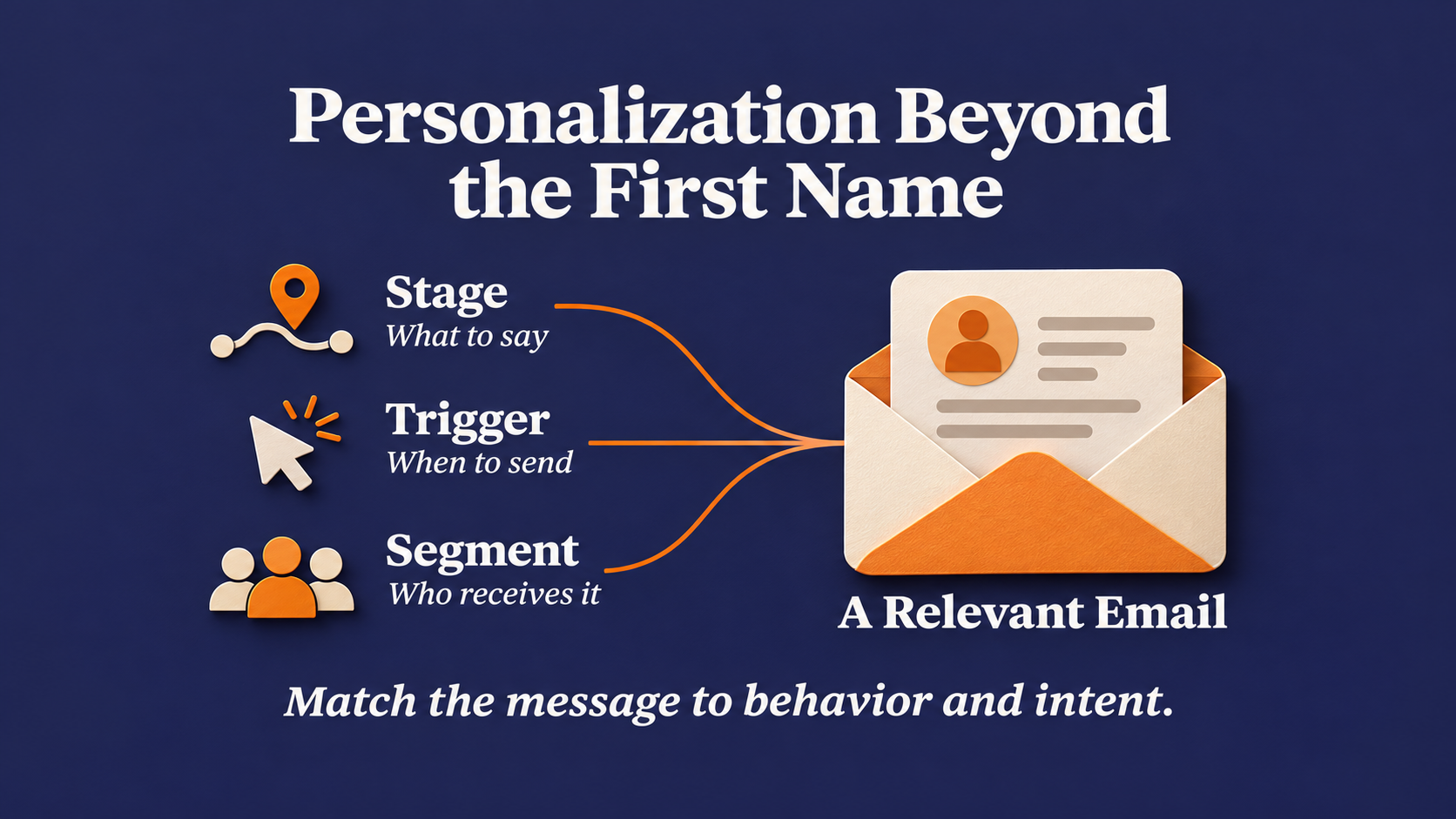
The stages tell you what to say, triggers decide when you say it, and segments decide who hears it. Put those three together and a stage map turns into a personalized customer journey.
Trigger, message, and channel
Barilliance breaks lifecycle marketing into three components, the trigger that starts it, the message that matches it, and the channel that carries it. Ahrefs credits the framework to Barilliance, and Litmus uses the same three-part model.
Triggers are usually customer actions like a signup, a form submission, a click, or an application left unfinished. Running those through automated workflows lets the right message go out at the right moment without anyone scheduling each send.
The absence of an action works as a trigger too. A subscriber with no opens in months is a reasonable candidate for a re-engagement path, though open tracking has gotten less reliable, so weigh it alongside clicks or other activity where you have it.
For more on building triggers around what customers actually do, see our guide to behavioral email marketing.
Segmentation does the heavy lifting
Customer journey personalization depends on segmentation. Lifecycle programs group contacts by behavior and preference, build content for each group, and let workflows deliver it when each person is ready.
Demographics tell you who someone is, behavior shows what they have engaged with or expressed interest in, and lifecycle email runs on the second one.
Our guide on email personalization techniques goes deeper on building segments that actually change what you send.
Personalization that goes past the first name
Most teams believe their tools have personalization covered. In Litmus's 2024 State of Email Innovations Report, 69% of marketers said their ESP handles personalization well or very well. Confidence in the tool and personalization in the inbox are two different things.
The first-name merge tag is where a lot of personalization stops. Chad S. White of Oracle Digital Experience Agency, in comments reported by Litmus, argues that first-name-only personalization is about as likely to hurt performance as help it, because readers notice when only the greeting changed. Treat that as an experienced practitioner's read, since the underlying research isn't detailed in the article.
Delivering relevant interactions when they really matter
Customer expectations are high in general. McKinsey found that 71% of consumers expect companies to deliver personalized interactions and 76% get frustrated when that doesn't happen. That is broad, cross-channel consumer research from 2021, not a lifecycle email study, but the lesson carries over.
Personalization that matters lives in what you send and when you send it.
Running Lifecycle Email Across Multiple Brands, Clients, or Locations
Everything above gets harder when you run it for more than one audience. An agency runs lifecycle programs for each client, a franchise runs them for each location, and a publisher runs them for each title. Every one of those audiences needs its own stages, triggers, and segments.
The two usual workarounds both cause problems. Put every brand in one shared account and a single segment built across the wrong lists, or one user with too much access, can mix audiences that should stay apart. Give every brand a completely separate setup and you are managing logins, reporting, and templates one brand at a time.
Running independent brands without rebuilding from scratch
Networld Media Group runs 10 industry publications on Pinpointe, sending up to 7 million emails a month across them, with trigger welcome flows and API-driven publishing automation. After moving to Pinpointe, the publisher saw a 167% increase in link clicks.
21st Mortgage, the lender behind the loan application drips above, uses Pinpointe's enterprise platform to keep each sister company's account segregated while selectively sharing templates and assets.
On Pinpointe's enterprise platform, that structure extends to journeys generally: each entity can run its own, built from its own segments, without rebuilding shared assets from scratch for every brand.
Common Lifecycle Email Mistakes
Lifecycle programs tend to silently break, well after launch, in ways nobody notices until the results slide.
Journeys that never end
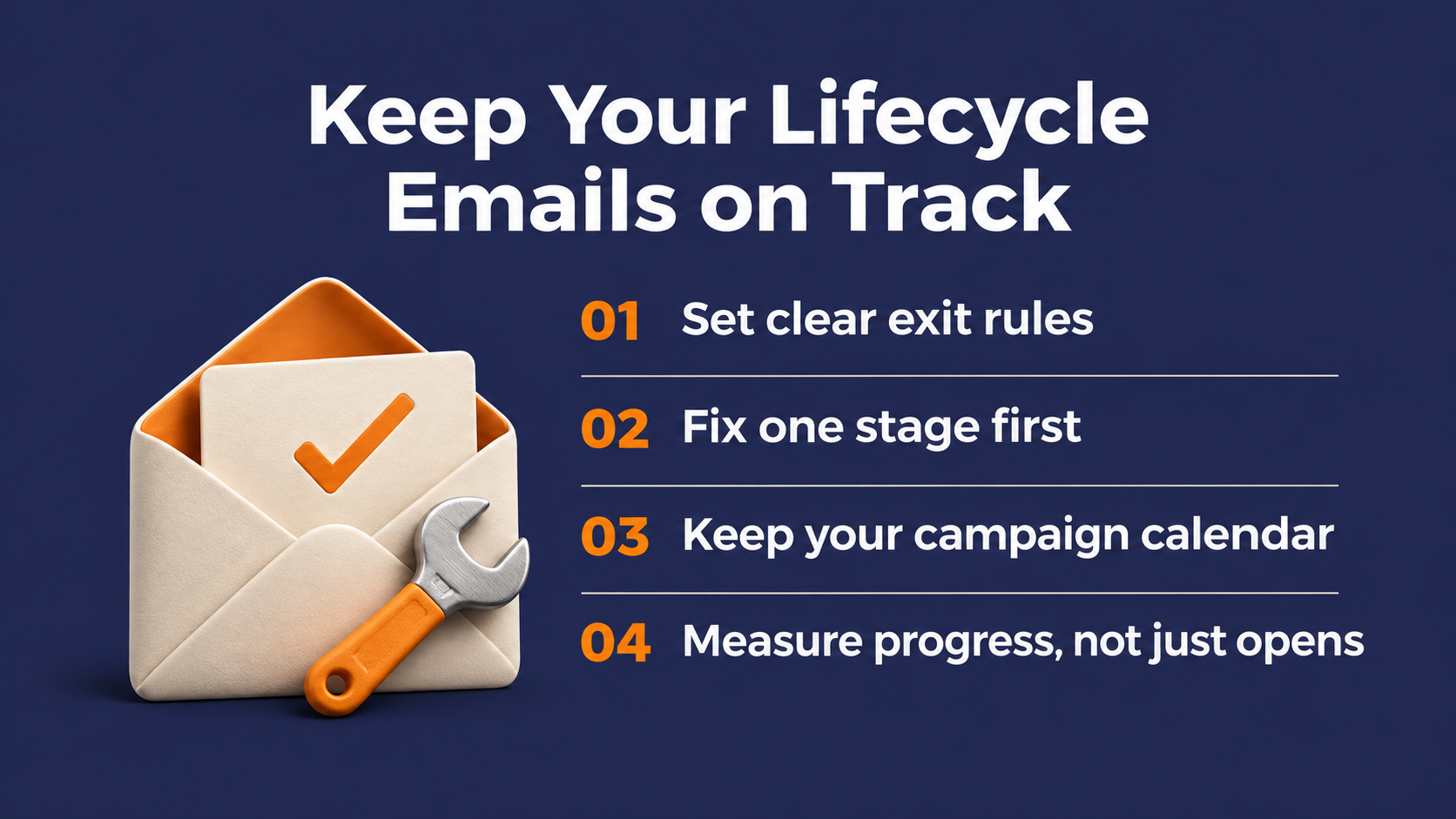
Entry rules get all the attention, but exit rules matter just as much. A cart reminder should stop once the customer buys, and a welcome series should end once the subscriber moves to the next stage.
A "still thinking it over?" email that arrives after the order confirmation tells the customer nobody is paying attention. Audit your exit conditions as carefully as your triggers.
Building every stage at once
Start with the one stage where you lose the most people, not with a dozen new emails across every stage at once. Add the next stage once the first one is running cleanly.
Dropping campaigns entirely
Lifecycle email does not replace your campaign calendar. The two do different jobs, and a program that cuts every newsletter and announcement loses the brand-level conversation that keeps people subscribed between stage changes.
Judging the program on opens alone
Opens tell you a little about the subject line and almost nothing about whether a stage is working. Litmus recommends tracking conversion between stages and retention-level outcomes, which the next section covers.
How to Build and Measure Your First Lifecycle Program
Start smaller than feels comfortable. One stage, built well and measured carefully, will teach you more than eight stages built in a hurry.
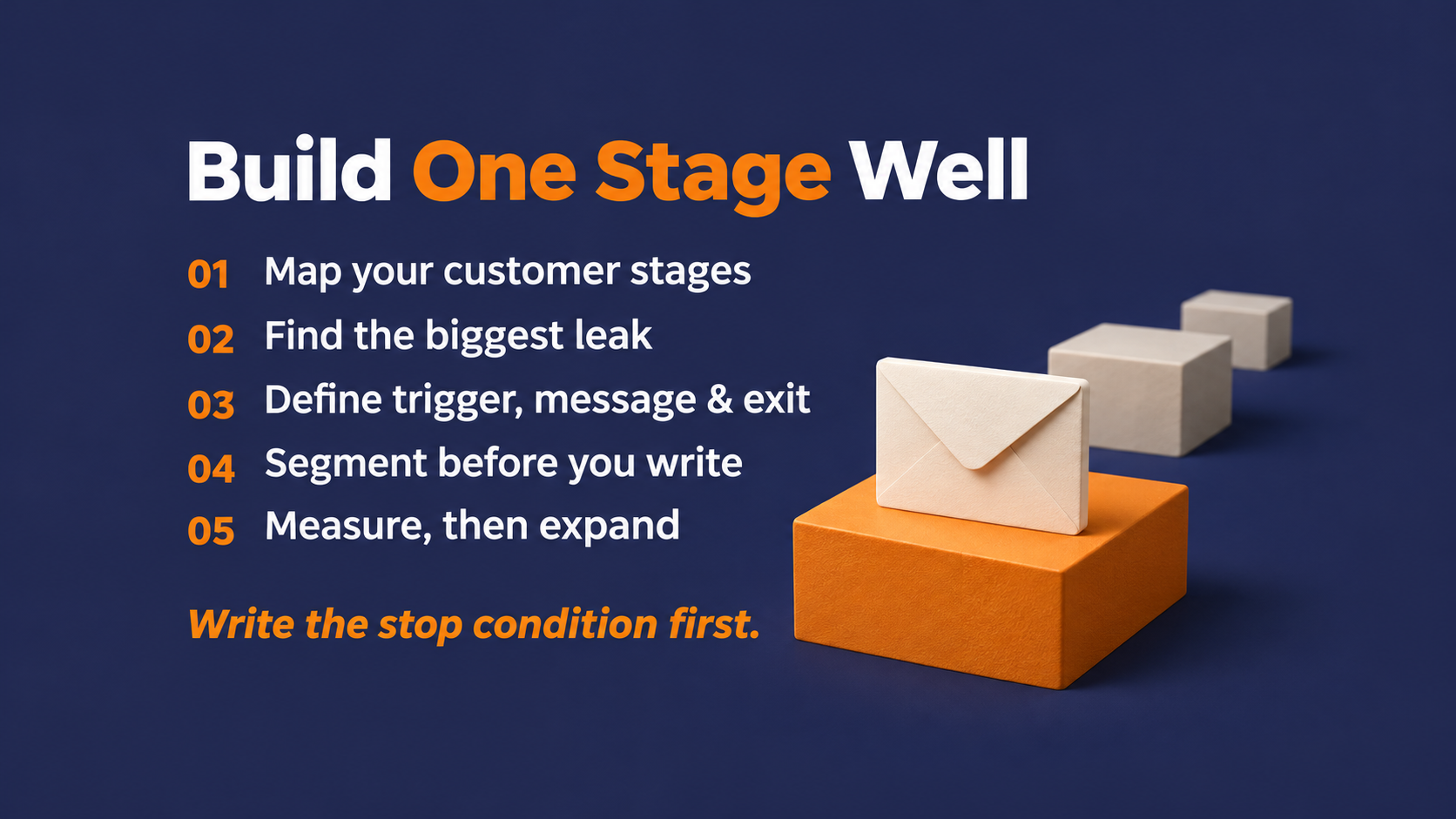
Map the stages your customers move through
Pick a stage model and adapt it. Litmus's eight stages are a useful starting list, and you can merge or rename them to match how your customers buy. For each stage, write down the action that moves someone into it and the action that moves them out.
Pick the stage with the biggest leak
Look for the place where the most people stall. That might be subscribers who never engage, applications that never finish, new customers who never complete setup, or members who don't renew.
The leakiest stage is your first build. Everything else should follow after.
Define the trigger, the message, and the exit
For that specific stage you picked from above, decide what starts the journey, what each email says, and what ends it. Trigger-based workflows handle the timing once those three decisions are made.
The exit is the easiest part to skip, but write the stop condition before you write the first email so it doesn't fall through the cracks later.
Segment before you write
Understand that within a stage not everyone needs the same message. Segment by behavior and preference first, then write content for each group.
A brand-new subscriber who came in through a pricing page and one who came in through a blog post may be at the same stage, but they are not asking the same question.
Measure the stage, then add the next one
Track the email metrics you can tie directly to the stage, like clicks and the conversion rate from that stage to the next. Litmus also lists business measures such as customer lifetime value, retention rate, churn rate, and NPS.
Watch those business numbers, and be careful about crediting email for them. Pricing, product, and sales all move retention too. Once the first stage is converting reliably, build the next one.
Our guide to email marketing metrics breaks down how to tie those numbers back to revenue.
Make Lifecycle Email Marketing Work One Stage at a Time
Lifecycle email marketing comes down to a few decisions made well. The customer's stage sets each email's job, triggers set the timing, and segments set the audience.
Exit rules keep journeys from embarrassing you after the sale. Start with the leakiest stage, measure what that stage produces, and keep your campaign calendar running alongside it.
Mapping the stages is usually the easy part. Keeping every journey firing, ending, and segmenting correctly months after launch is where the real maintenance work lives.
Keeping the right contacts in the right flows automatically
Pinpointe Journeys handle that upkeep with a visual builder for automated email and SMS flows. Contacts enter or advance when they join a list, submit a form, open an email, or click a link, and conditional branching sends different contacts down different paths.
Our dynamic segments update automatically as your data changes, so the right people land in each stage without anyone rebuilding lists.
On Pinpointe's enterprise platform, if you run more than one brand, client, or location, each one runs its own journeys from its own segments while your central team sees all of them from one login.
Find the gaps in your lifecycle program with a free automation audit
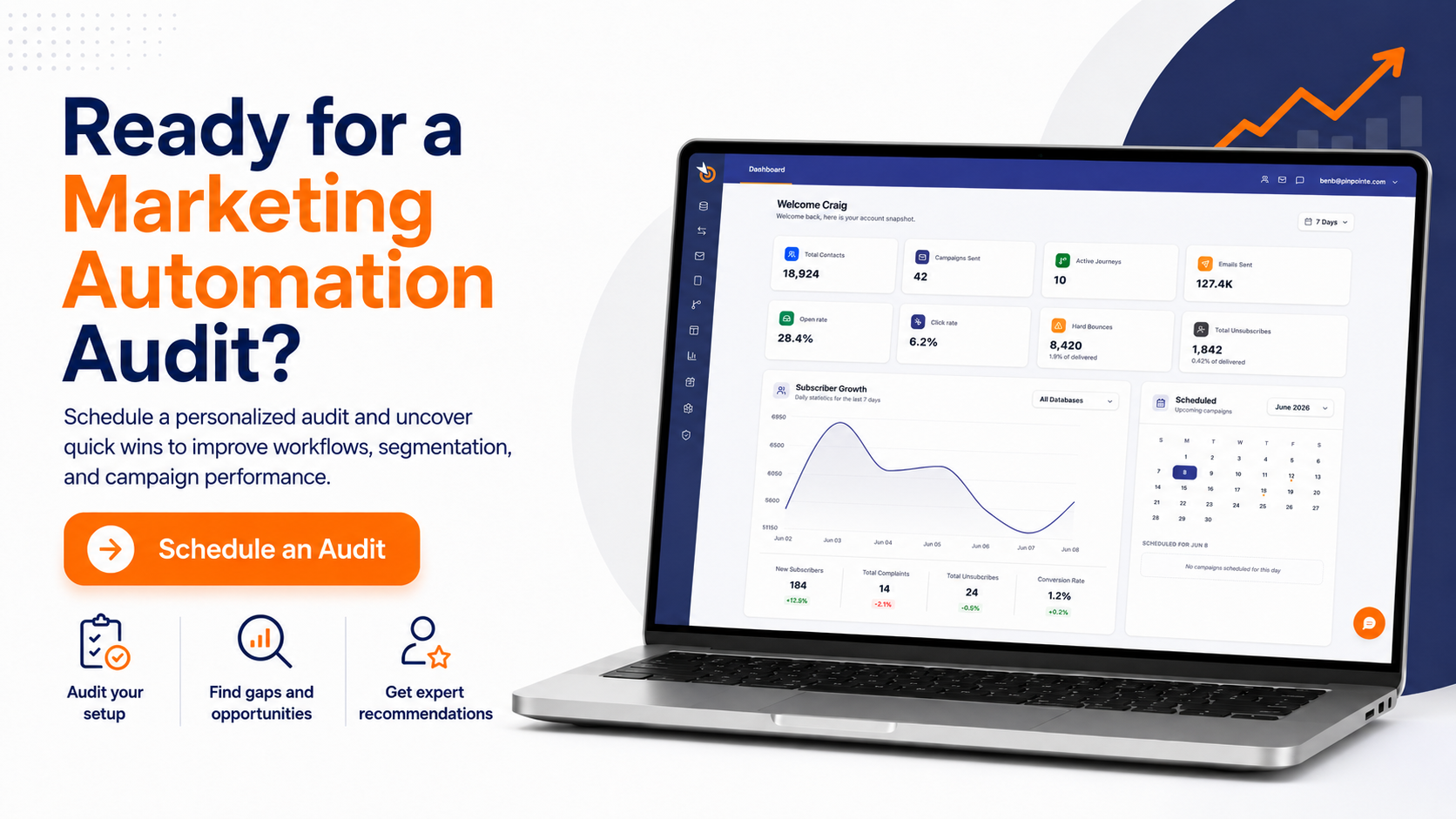
If you are not sure which stage is leaking the most, start with our free marketing automation audit. In a 1-on-1 session, we look at where prospects and customers drop out of your current program and where manual work is eating your team's time. You leave with an automation roadmap for your lifecycle program that is yours to keep.
Frequently Asked Questions
A few quick answers to questions that come up once you start building a program.
Is lifecycle marketing the same as email marketing?
No. Email marketing is a channel, and lifecycle marketing is a strategy that can run across email, SMS, ads, and other channels. Lifecycle email marketing is the part of that strategy carried out through email, and marketing automation is the tooling that sends it.
Does lifecycle email marketing require automation?
No. What defines lifecycle email is matching each message to the customer's stage. Automated, behavior-triggered workflows are a common way to do that at scale because they send the moment a customer acts.
How many stages are in the customer lifecycle?
It depends on the model. Litmus uses eight stages and Ahrefs uses six, and both separate consideration from a later conversion stage, which Litmus calls activation and conversion and Ahrefs calls purchase. Choose the model that matches how your customers buy.
What is an example of lifecycle email marketing?
A stalled application follow-up is a clear example. When a homebuyer starts a loan application and doesn't finish, 21st Mortgage Corporation's automated drip campaigns on Pinpointe follow up to bring them back. The company's case study credits those campaigns with 2.5 million emails a year.
What metrics show a lifecycle email program is working?
Start with stage-level email metrics, like clicks and the conversion rate from one stage to the next. Broader measures like retention rate, churn, and customer lifetime value show the bigger picture, but more than email shapes them.