
Your open rate looks healthy. Your click rate looks fine. Then you check the bounce report and see 6%.
That number alone can get you throttled by mailbox providers before you ever find out why your last campaign underperformed. Most marketers treat a rising email bounce rate as background noise. It's actually the clearest early warning your list gives you, and it's usually fixable in a single re-engagement email campaign.
Before you touch anything, split your bounces into two buckets.
Stop treating temporary deliverability hiccups like dead ends
A hard bounce means the address is dead. Invalid domain, closed account, typo that was never caught. That contact is never converting, no matter what you send it.
A soft bounce is temporary. Full inbox, server hiccup, a spam filter having a bad day. Soft bounces can resolve themselves, or they can pile up until they might as well be hard bounces.
Premature list purges throw away valid customers
Getting that split right changes everything you do next. Delete a hard bounce, and you've cleaned up dead weight. Delete a soft bounce too early, and you might be removing a customer whose inbox was just full that one afternoon.
Most teams skip this step entirely and jump straight to deleting anyone who hasn't opened an email in a while. That's a mistake, and a costly one. The math says re-engaging is almost always cheaper than replacing.
Hard Bounces vs. Soft Bounces: Know What You're Actually Fixing
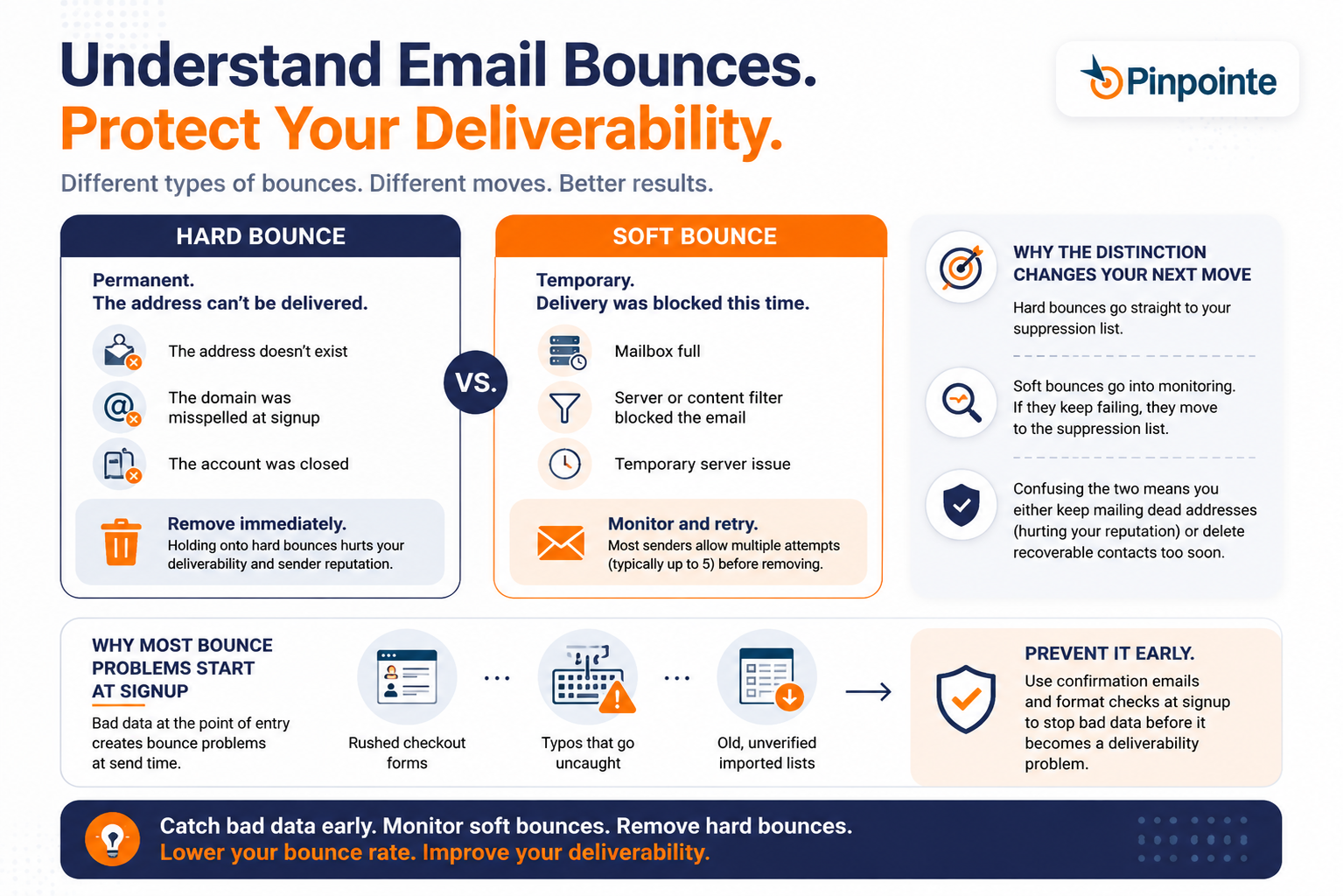
What counts as a hard bounce
A hard bounce is permanent. The address doesn't exist anymore, the domain was misspelled at signup, or the account was closed. There's no re-engagement email that fixes a typo. Remove these immediately.
Holding onto hard bounces doesn't just waste a send. It actively drags down every deliverability metric mailbox providers use to decide whether your next campaign lands in the inbox or the spam folder.
What counts as a soft bounce
A soft bounce is a maybe. The mailbox exists, but something blocked delivery this one time. Give it another attempt or two before you write it off.
Most senders set a threshold, often five consecutive soft bounces, before treating the address like a hard bounce and removing it. That number is a reasonable default, but check what your platform actually tracks before you assume it matches.
Why the distinction changes your next move
Hard bounces go straight to your suppression list. Soft bounces go into monitoring, and if they keep failing, into the same suppression list a little later.
Confusing the two means you either keep mailing dead addresses (hurting your reputation) or you delete recoverable contacts that just had a bad Tuesday.
Why most bounce problems start at signup, not at send time
A lot of bounce trouble traces back to how an address got onto your list in the first place. A rushed checkout form, a typo nobody caught, a contact imported from an old spreadsheet with no verification step. None of those show up as a problem until the next campaign goes out and the bounce report lights up.
Catching bad data at the point of entry, through a confirmation email or a simple format check, prevents most of this before it ever becomes a re-engagement problem.
It's a much smaller fix to make once, at signup, than to keep making over and over on every campaign that goes out afterward, and it's the cheapest way to reduce your email bounce rate long term.
What Your Bounce Rate Is Actually Telling Mailbox Providers
A bounce sends a signal straight to mailbox providers, who are always listening, not just a note that one message failed to arrive.
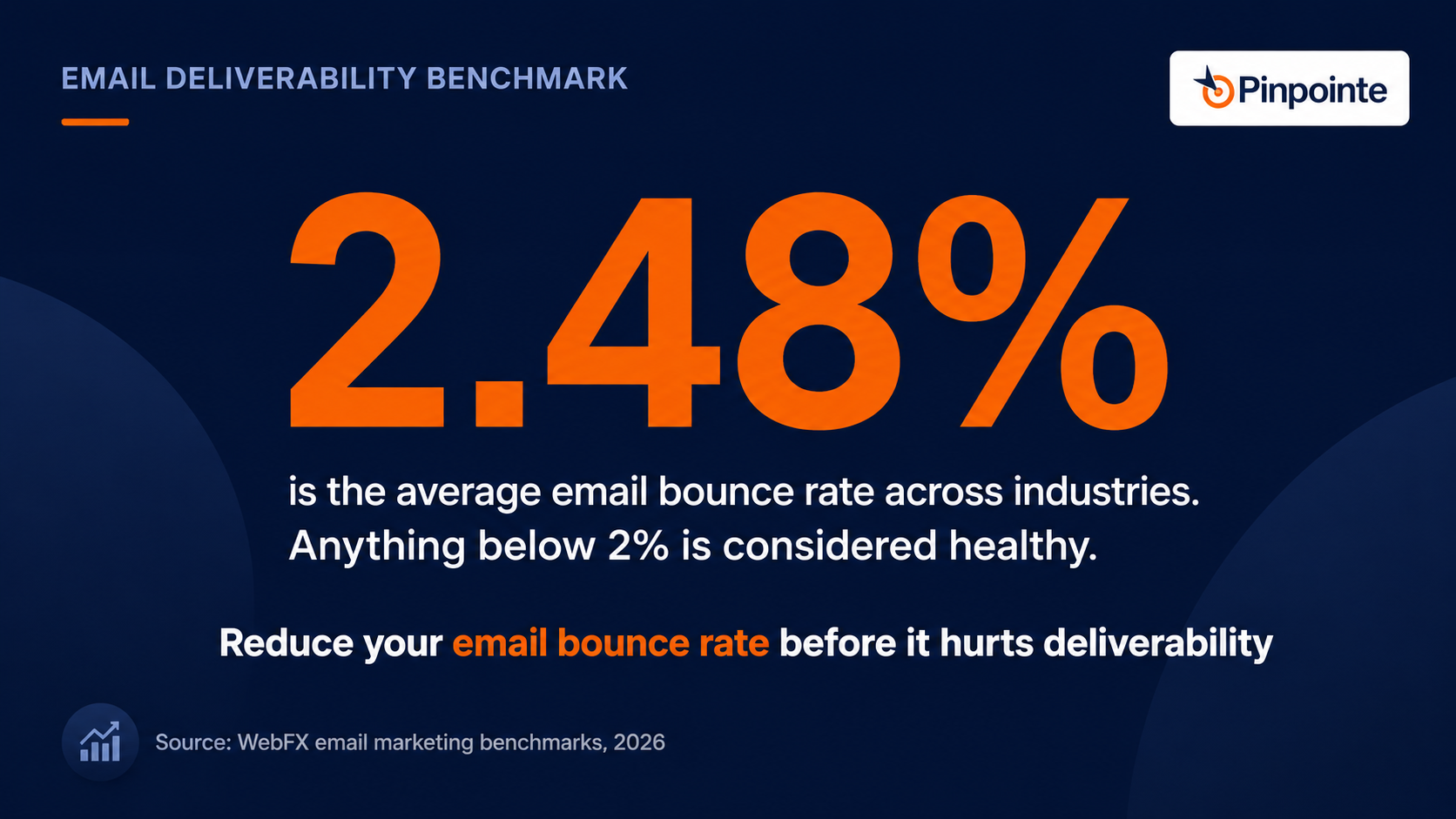
Across industries, the average email bounce rate sits at 2.48%, with anything below 2% considered a healthy target. If your last campaign came in north of that, providers noticed before you did.
|
Bounce Type |
What Caused It |
What To Do With It |
|
Hard bounce |
Invalid address, closed account, bad domain |
Remove immediately |
|
Soft bounce |
Full inbox, server timeout, temporary block |
Retry, then suppress after repeated failures |
|
Spam block |
Content or reputation issue, not a dead address |
Investigate sending practices, don't just resend |
That table is worth revisiting every time your bounce number moves. A spike usually points to one specific cause, not a general decline, so resist the urge to overhaul your whole sending strategy before you've actually diagnosed which row you're dealing with.
Here's the part that's easy to miss. None of this happens in isolation. A high email bounce rate drags down your sender reputation, and a damaged sender reputation makes every future send, including your best campaigns, more likely to land in spam instead of the inbox. Fixing bounces isn't just about this one email. It protects every email you send after it.
How unmanaged cold leads drag down your sender credit rating
Think of your sender reputation like a credit score built from mailbox providers watching how recipients treat your messages over time. One bad send rarely tanks it. A pattern of high bounces, low opens, and rising complaints will, and that pattern is exactly what an unmanaged inactive segment produces.
The Case for Re-Engaging Instead of Just Deleting Inactive Subscribers
The instinct to delete anyone who hasn't opened in six months makes sense on paper. In practice, you're often deleting people who still buy from you, they just buy on a slower calendar than your subscriber list assumes.
Retention math backs this up in a way most marketers underestimate. Acquiring a new customer can cost 5 to 25 times more than keeping an existing one, according to Harvard Business Review. That gap alone should be reason enough to try a re-engagement email campaign before you hit delete.
An inactive subscriber isn't dead weight yet. A well-timed discount or a genuine reason to come back might be all it takes to bring them to life again.
PRO TIP: Before you build a full win-back sequence, pull the actual purchase history on your "inactive" segment. Some of them are still customers. They just stopped opening your emails, not stopped buying from you.
What counts as inactive subscribers before you act
Six months without an open feels like a clear signal, but it depends entirely on what you sell. A quarterly software renewal and a weekly grocery delivery don't share the same definition of gone quiet. Set your inactivity window against your actual buying cycle, not a generic industry default you found in a blog post.
If you're unsure where to draw that line, err longer. A subscriber who gets removed too early never gets a chance to come back. One who lingers an extra month just costs you a little list hygiene, not a lost customer.
Automating the Re-Engagement Sequence So It Runs Without You
A one-off re-engagement email is better than nothing, but a short automated sequence outperforms it every time. People miss the first email. They open the second one out of curiosity. The third is often the one that actually gets a click.
Setting the trigger that starts the sequence
Build the sequence around a specific inactivity window, no opens or clicks in a defined stretch of time, and let it run automatically rather than pulling a static list every quarter.
The moment someone crosses that threshold, they should already be in the first email of the sequence, not waiting for someone on your team to remember to build a new segment.
Deciding how many emails the sequence actually needs
Two to four emails is a reasonable range for most re-engagement sequences. Fewer than that and you haven't given the subscriber much chance to notice.
More than that and you risk annoying the exact person you're trying to win back. Space each email a few days apart so the sequence doesn't feel like a single aggressive burst.
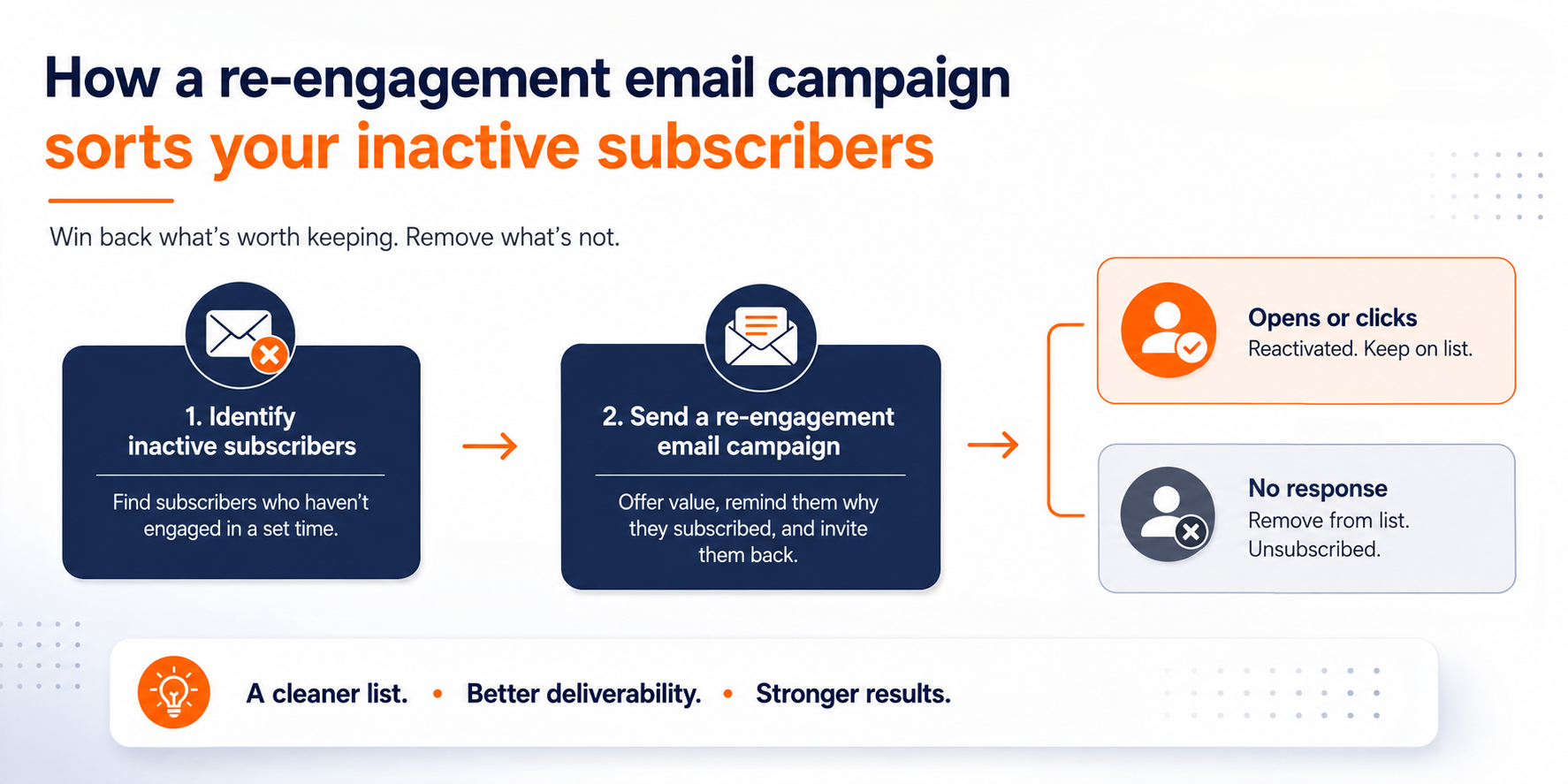
Building a Re-Engagement Campaign That Doesn't Feel Like a Breakup Text
Clarity beats cleverness here. Your subject line needs to say exactly what this email is about, and the body needs to ask one direct question: do you still want to hear from us?
Don't offer five different options and three different explanations. A recipient juggling a full inbox will pick the path of least resistance, which is usually to ignore the whole thing.
Structuring the yes and no paths
Give both options a clear, button-style call to action. The "yes" button should lead to a simple confirmation page, nothing more complicated than a thank-you message. The "no" button, or the absence of any click, should route to an automatic unsubscribe after a set window, often about a week.
Say that window out loud in the email itself. "If we don't hear from you by [date], we'll assume you'd like to stop receiving these" removes any ambiguity and keeps your list honest.
Making the re-engagement email itself worth opening
Clarity doesn't mean boring. Some of the best re-engagement emails use humor, a surprising incentive, or an honest "we miss you" tone to earn a second look. What they never sacrifice is the core ask. Every creative choice still points back to one clear yes or no decision.
Consent expectations have only gotten stricter since this format became standard, not looser. A vague re-engagement email that hides the unsubscribe path gets flagged now, not just frowned on.
Picking a subject line that actually gets opened
The subject line on a re-engagement email has one job: look different enough from your normal sends that a dormant reader does a double take. A plain "We miss you" works. So does something more direct, like naming the exact thing they signed up for in the first place. What doesn't work is reusing your standard newsletter subject line format and hoping repetition wins them back.
Test two or three variations if your platform supports it. The winner is rarely the cleverest option. It's usually the clearest one.
Segmenting Active Subscribers So You Don't Just Chase Ghosts
Fixing your email bounce rate can't be a one-sided project focused only on people who've already checked out. Your active subscribers deserve just as much attention, and they're a much easier audience to learn from.
Ask them directly what they want from you. A short survey after a purchase or a simple "how are we doing" campaign tells you more than any dashboard will, and it often surfaces the exact reasons your inactive segment went quiet in the first place.
Timing renewal and cross-sell messages around actual usage
If you sell something with a predictable usage cycle, a subscription, a service contract, an annual product, build your triggered emails around when that cycle is actually ending. A renewal reminder that lands three months early gets ignored. One that lands in the final week gets acted on.
Layer a small early-renewal incentive on top of that reminder, and you've turned a maintenance email into a revenue email.
Cross-selling without sounding like a stranger
Once someone is already engaging with a renewal or usage email, that's your best moment to mention a complementary product or upgrade, not a random promotional blast three weeks later. Relevance is what keeps this from feeling like spam, and timing is what makes it feel relevant.
Treating your active list like an asset, not a given
It's tempting to spend all your attention on the subscribers causing problems and let the engaged ones run on autopilot. That's backwards.
Your active segment is the group actually generating revenue right now, and a little ongoing attention, a feedback survey, a loyalty perk, a useful send that isn't just a pitch, keeps them from drifting into the inactive segment you just spent a whole campaign trying to win back.
Keeping Your Email List Hygiene Tight So This Doesn't Repeat
A re-engagement campaign fixes today's bounce problem. Ongoing email list hygiene is what keeps the same problem from showing up again next quarter.
That means monitoring opt-ins as they come in, watching bounce and complaint rates after every send, and treating list maintenance as a standing task, not an annual cleanup project.
Set it and forget it has never worked in email marketing, and it works even less now that mailbox providers are more aggressive about enforcement.
Why mailbox providers are getting stricter, not looser
Google's own sender guidelines make the stakes explicit. Bulk senders become eligible for delivery mitigation only once their spam complaint rate stays below 0.3% for seven consecutive days.
That's a standard you hold continuously, and a list full of people who never wanted your emails in the first place is the fastest way to blow past it.
PRO TIP: If you haven't looked at your bounce report in the last 30 days, that's the actual problem, not whatever number you find when you finally do.
Building the habit instead of the emergency
The businesses that never end up writing a "please don't unsubscribe" email are the ones that treat list hygiene as routine maintenance. Small, regular reviews of opt-ins, bounce trends, and inactive segments cost far less time than one panicked cleanup after a domain gets blocklisted.
What a monthly list review should actually cover
You don't need a full audit every month, just a consistent check on a few numbers. Pull your bounce rate, your complaint rate, and the size of your newly inactive segment. Compare each against the same numbers from last month.
A steady, gradual rise in any of the three is worth investigating right away. A sudden spike usually points to one specific cause: a purchased list, a badly targeted blast, or a broken signup form collecting garbage addresses. Those are far easier to fix when you catch them within a week instead of a quarter.
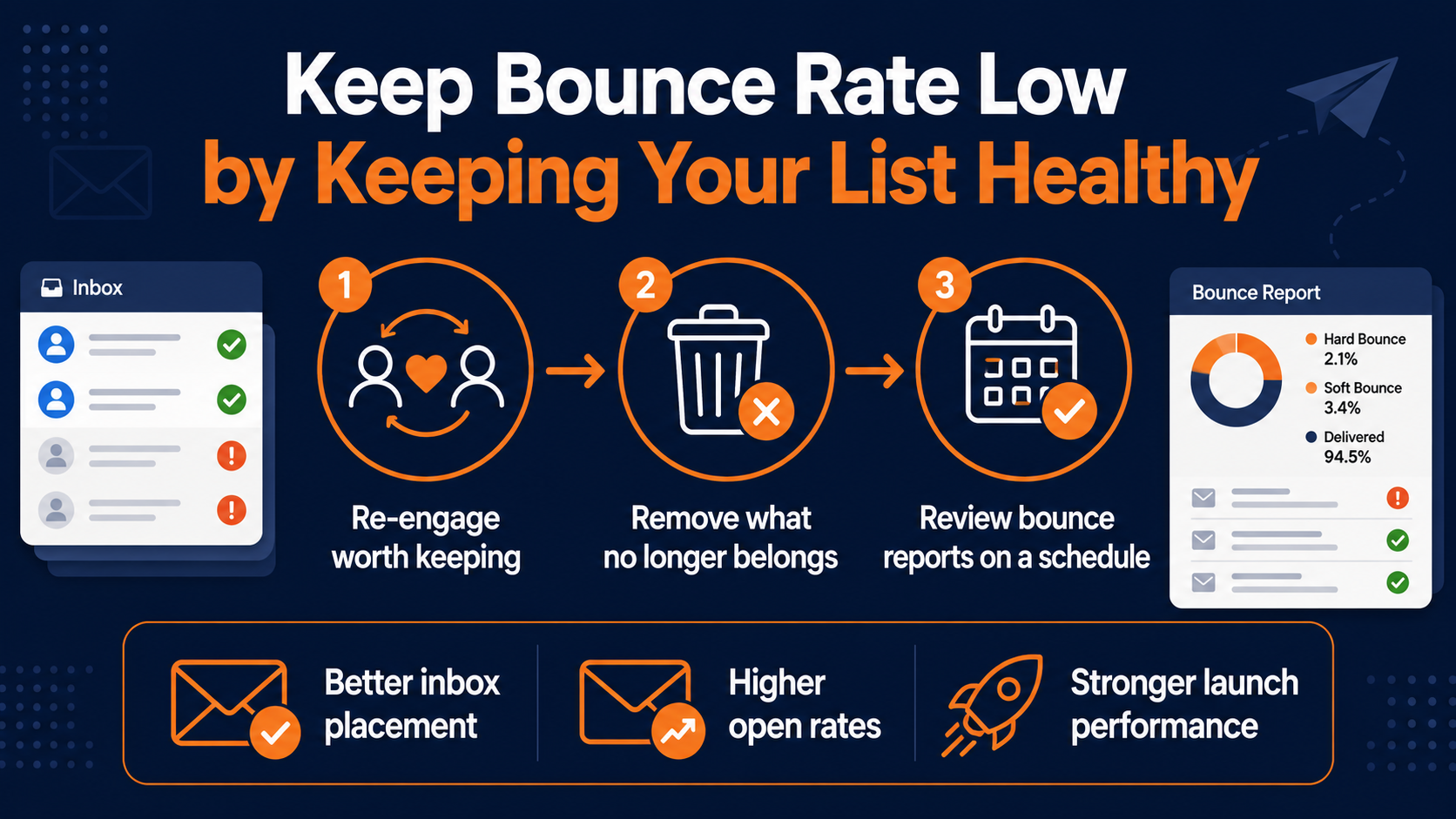
Turning List Cleanup Into a Repeatable Revenue Habit
A lower email bounce rate is really just the byproduct of a list full of people who actually want to hear from you, the same thing that was driving your revenue all along, not a finish line in itself.
Treat re-engagement and list hygiene as one connected habit instead of two separate fire drills. Re-engage the subscribers still worth reaching, remove the ones who aren't, and keep your active segment fed with messages that earn their attention. Do that consistently, and your email bounce rate stops being something you check with dread.
How a simple bounce review protects your highest-stakes launches
The real payoff shows up in the numbers you weren't directly chasing. Better inbox placement. Higher open rates on the campaigns you actually care about. Fewer awkward conversations about why a launch email underperformed.
Your current email marketing program can absorb this work without a rebuild. What it actually needs is a standing decision that your bounce report gets a few minutes of attention on a schedule, instead of only on the day it finally forces your hand.
Stop treating list cleanup as a once-a-year scramble
Nobody on your team is currently assigned to check the bounce report on a schedule, and that gap is exactly why it turns into a scramble every time. What fixes it is a standing process that catches inactive and invalid contacts before they pile up into a real deliverability problem.
Pinpointe's event-triggered drip campaigns exist to handle exactly this kind of ongoing segmentation and re-engagement sequencing without you having to rebuild it by hand every quarter.
If your last re-engagement campaign was something you scrambled together after a bad bounce report, schedule a marketing automation audit and get a clear view of where your list actually stands and the next steps to help you make email marketing your best-converting channel!