

New Drag & Drop Builder - Overview
Table of Contents
The New Drag & Drop Builder tool provides a more modern UI for creating email campaigns in Pinpointe while improving overall functionality. Although the basic structural layout remains mostly the same as the current D&D Builder, there are changes to various icons, their placement, and so on.
We have also added some new features, such as the ability to drag and drop images into the canvas area from your computer.
When you click the "Create Email Message" option from the main left-hand vertical menu (Fig 1), or click the "New Email Message" button on the Manage Email Messages page (Fig 2), you'll be redirected to a page where you can select which email builder to use (Fig 3):
Fig 1
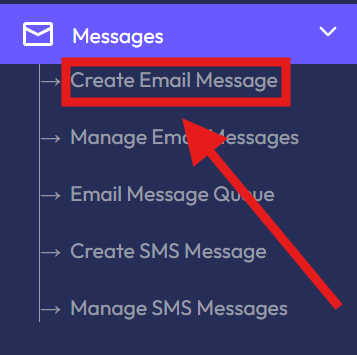
Fig 2

Fig 3
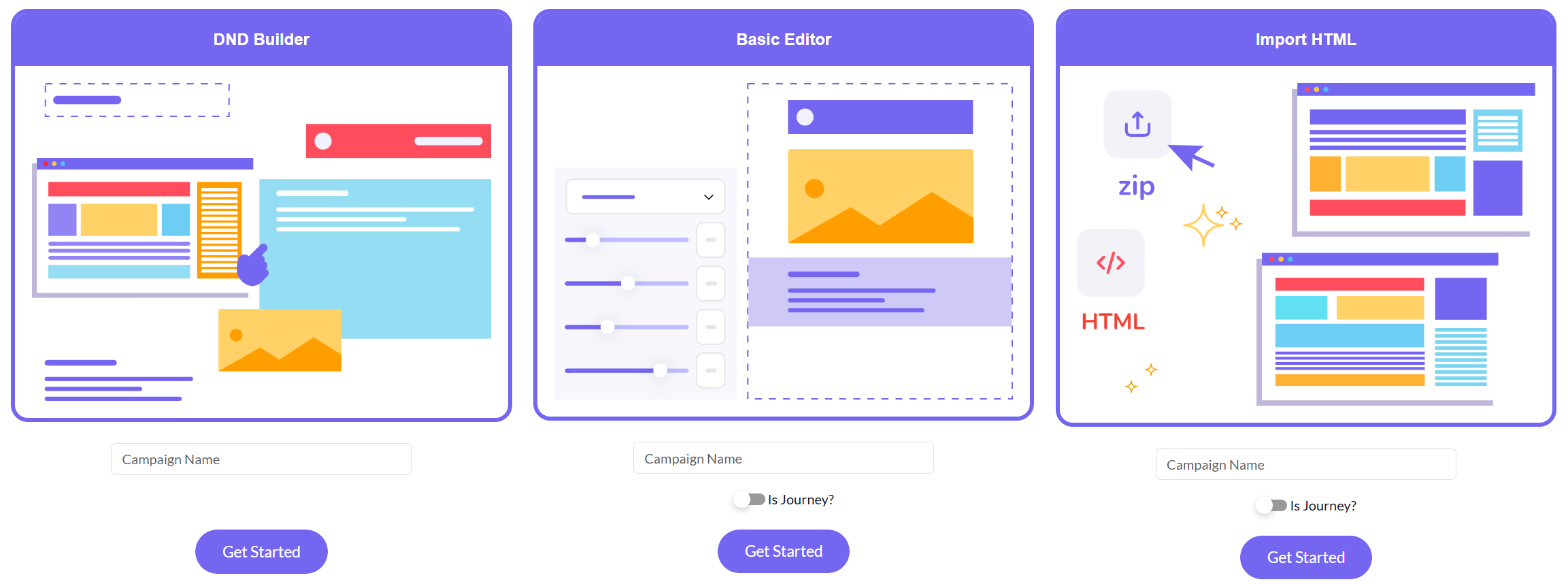
This page has three options:
- DND Builder
- Basic Editor
- Import HTML
To start, give the campaign a name by filling in the "Campaign Name" field, then click the "Get Started" button. You will be redirected to the Template List (Fig 4):
Fig 4
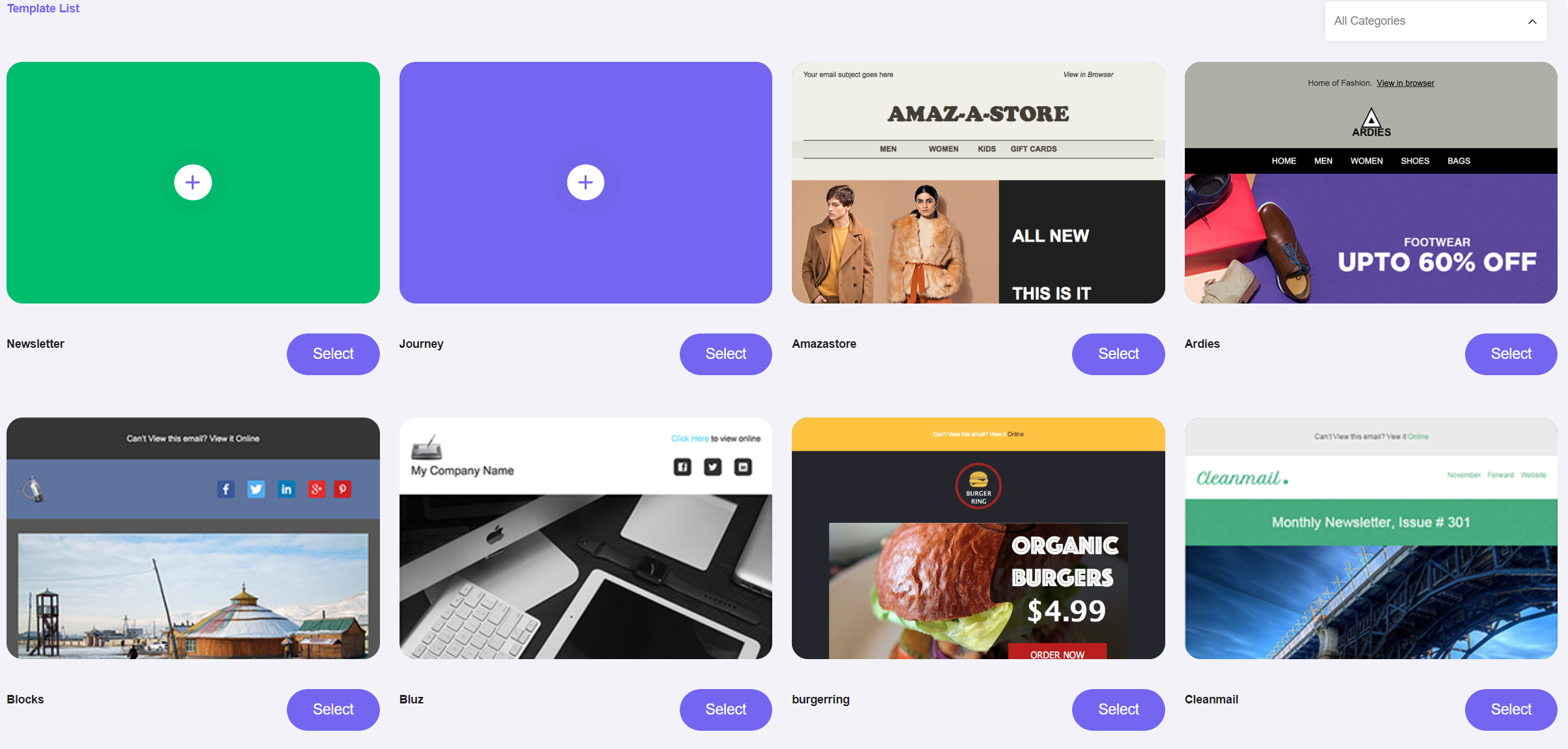
NOTE: Unless you specifically building a Journey template, you should select either "Newsletter" (the top-left option) or one of the pre-made templates.
Pinpointe Newsletter
Join the newsletter to receive the latest updates in your inbox.