

Data Feeds - View Data Feeds
Table of Contents
On the Data Feeds screen, click the Actions icon (...) next to the Data Feed you want to view.
This will bring up the Data Feed Action Menu (Fig 1).
Fig 1
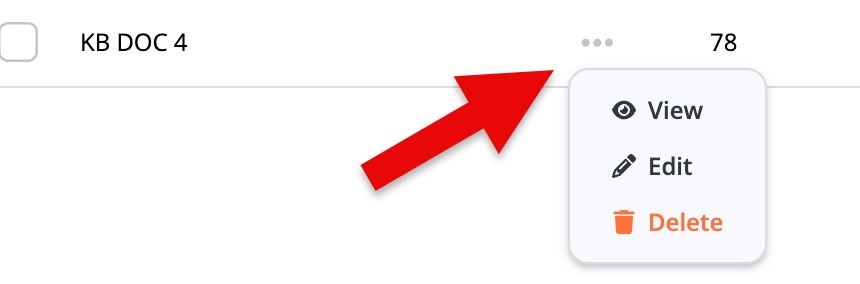
Click the View option to bring up the View Data Feed screen (Fig 2).
Fig 2
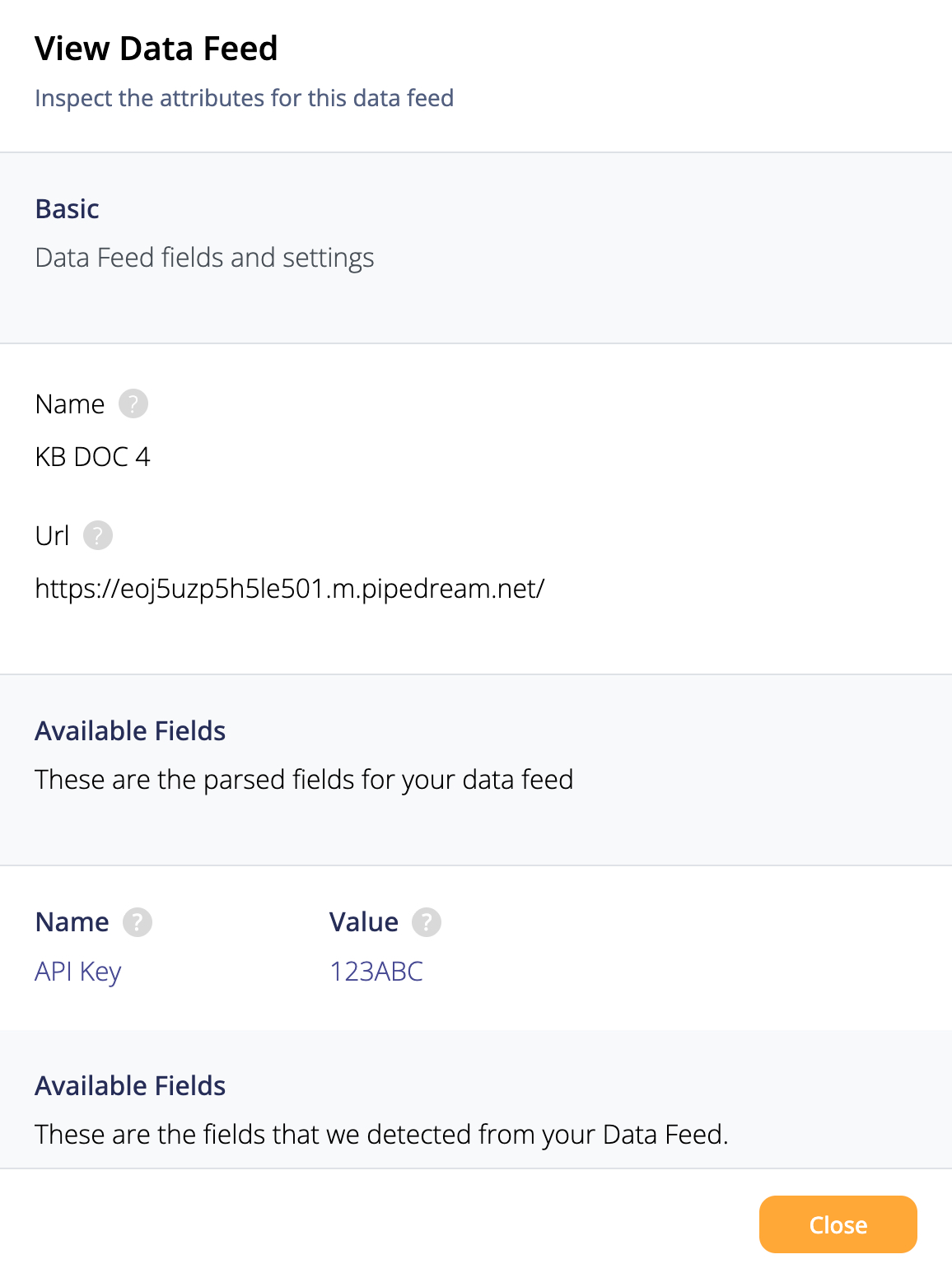
When you View a Data Feed, you can look at all the values, but can't change any of them.
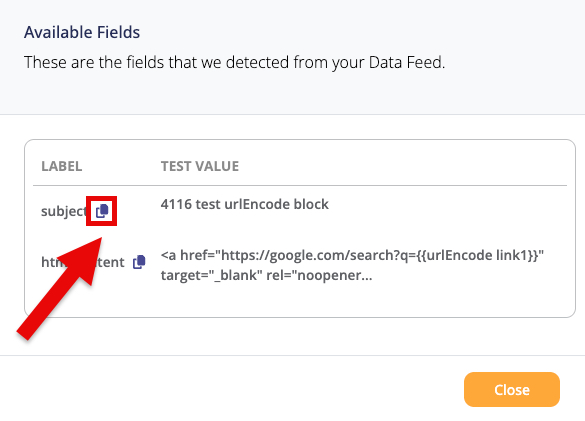
Under Available Feeds, if a field has a Copy icon next to it, you can click it to copy the text in that field with a single click (Fig 3).
Fig 3
After you're done Viewing a Data Feed, click on the Close button to return to the Data Feeds menu.
Pinpointe Newsletter
Join the newsletter to receive the latest updates in your inbox.